Skip to content

Wine Label Maker: Print-Ready AI Labels

PackDesignAI is an AI wine label maker for front, back and gift labels: describe the wine, add a sketch or crest and get up to four designs at 3.5 x 4, 4 x 5 or 3 x 4 in, or any size up to 12 in. Download a PDF with 1/8 inch bleed or a 300 dpi PNG, with no watermark. AI designs use credits.

AI label generator
0 / 4000

Put words in "double quotes" to ask for exact text. Check the spelling before you print.

Style

Try one of these

  • 3.5 x 4, 4 x 5, 3 x 4 in or custom
  • PDF with 1/8 in bleed
  • 300 dpi PNG, no watermark
  • 3D preview on a bottle

Wine Labels Made With the Wine Label Maker

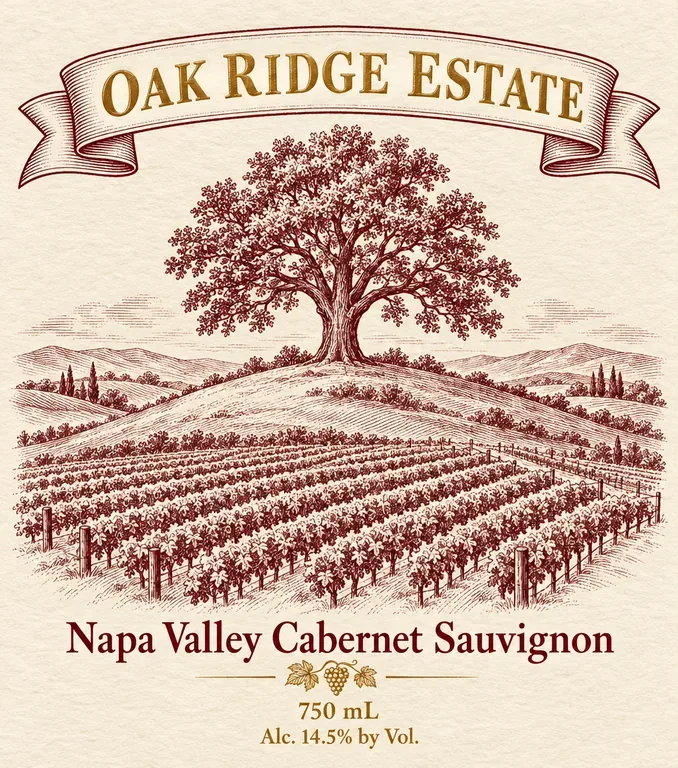
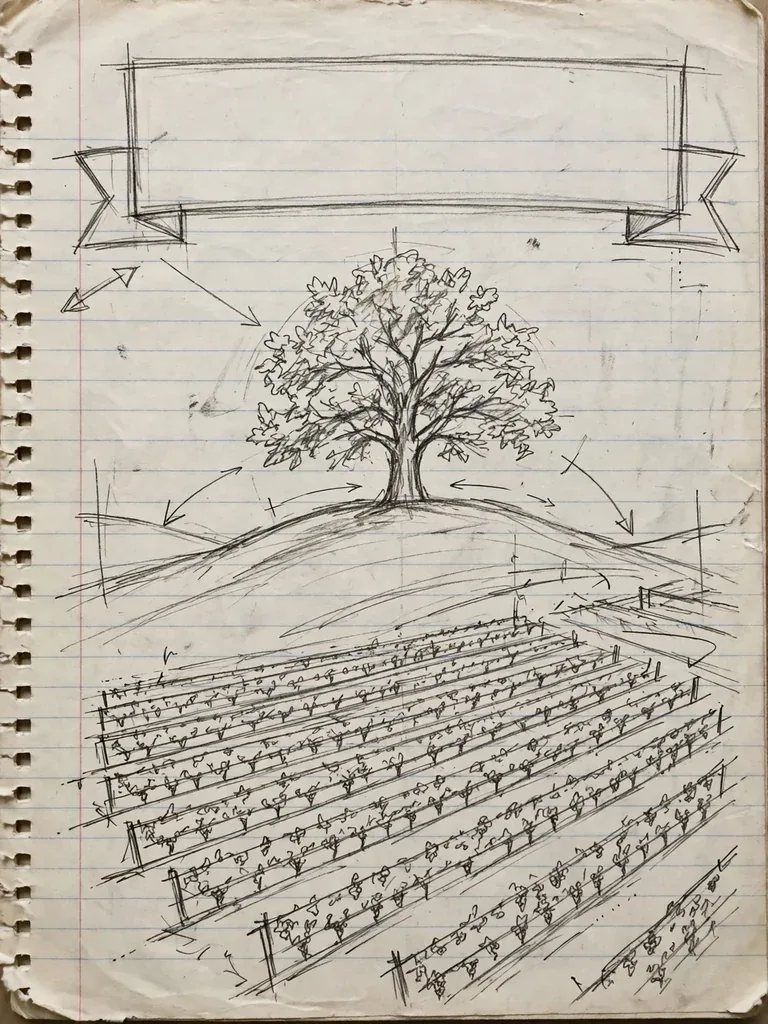
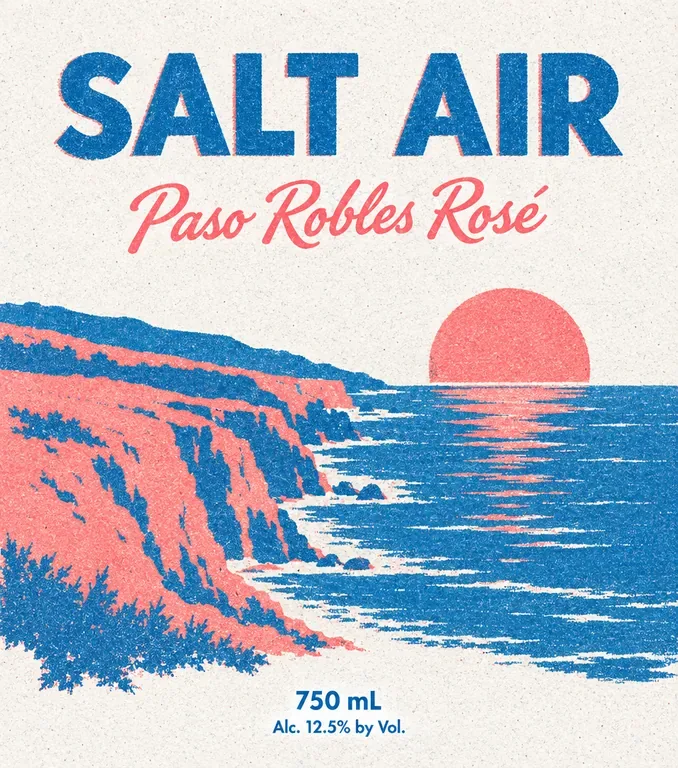
An engraved cabernet, the pencil layout it began as, and a riso print rosé. "Use this example" fills the wine label maker with the prompt and size.

Wine label with an engraved oak on a hill above vine rows, burgundy on ivory
Front labelEngraved oak cabernet label
Rough pencil layout of a wine label with a tree and the winery name
Reference sketchThe pencil layout behind the oak label
Rosé wine label in coral and blue with sea cliffs and a low sun
Front labelRiso print coastal rosé label

Examples are partner demos made with AI. We only show real wine examples, so the list is short; more will join it.

How to Create Wine Labels With AI

Three steps to create wine bottle labels that fit, from the bottle size to a print file.

  1. Choose 3.5 x 4 in, a common front label for a 750 ml bottle, 3 x 4 in for the back or 4 x 5 in for a bigger bottle. Or enter any size from 0.5 to 12 in or mm, in one of four shapes.

  2. Tell the wine label maker the grape, region, style and mood. Add up to four images, such as a crest or a pencil layout, and type the winery, wine name and lines like "750 mL" so they go to the AI as typed.

  3. Sign in and press Generate; the credit cost shows on the button. Compare up to four designs, turn on the bleed, cut line and safe area guides, then download the PDF or a 300 dpi PNG.

1 in3.5 × 4 in750 ml front4 × 5 inLarger bottles3 × 4 inBack label

A Wine Label Designer That Prints to Size

What this wine label builder does that a blank canvas doesn’t: real sizes, your words and a look at the bottle before you print.

  1. BRAND NAMEPinot NoirAppellationAlc. 13.5% by vol.750 mLContains sulfitesBottled by Name,City, StateGOVERNMENT WARNING:Front: brand labelBack label

    Front and back

    Plan the pair at real sizes

    Design the front first. Then press "Edit this one": the wine label designer attaches that design as a reference, you switch to 3 x 4 in and describe the back so both match. Each keeps 1/8 inch bleed and a safe area.

  2. Finished engraved oak wine label made from the pencil layout

    Your start

    From a pencil sketch or last year’s label

    Add a sketch, a crest or the label you want to refresh, and the AI is asked to keep its shapes and colors. The oak label in the gallery came from a rough pencil layout; one-tap remix makes it brighter, simpler or more premium.

  3. Coral and blue rosé label ready for the bottle

    Preview

    Turn it on a bottle before you print

    The wine label maker wraps any design on a bottle in its 3D preview. Open versions full screen and compare two side by side. For a photo of the bottle, try the wine bottle mockup or the mockup generator.

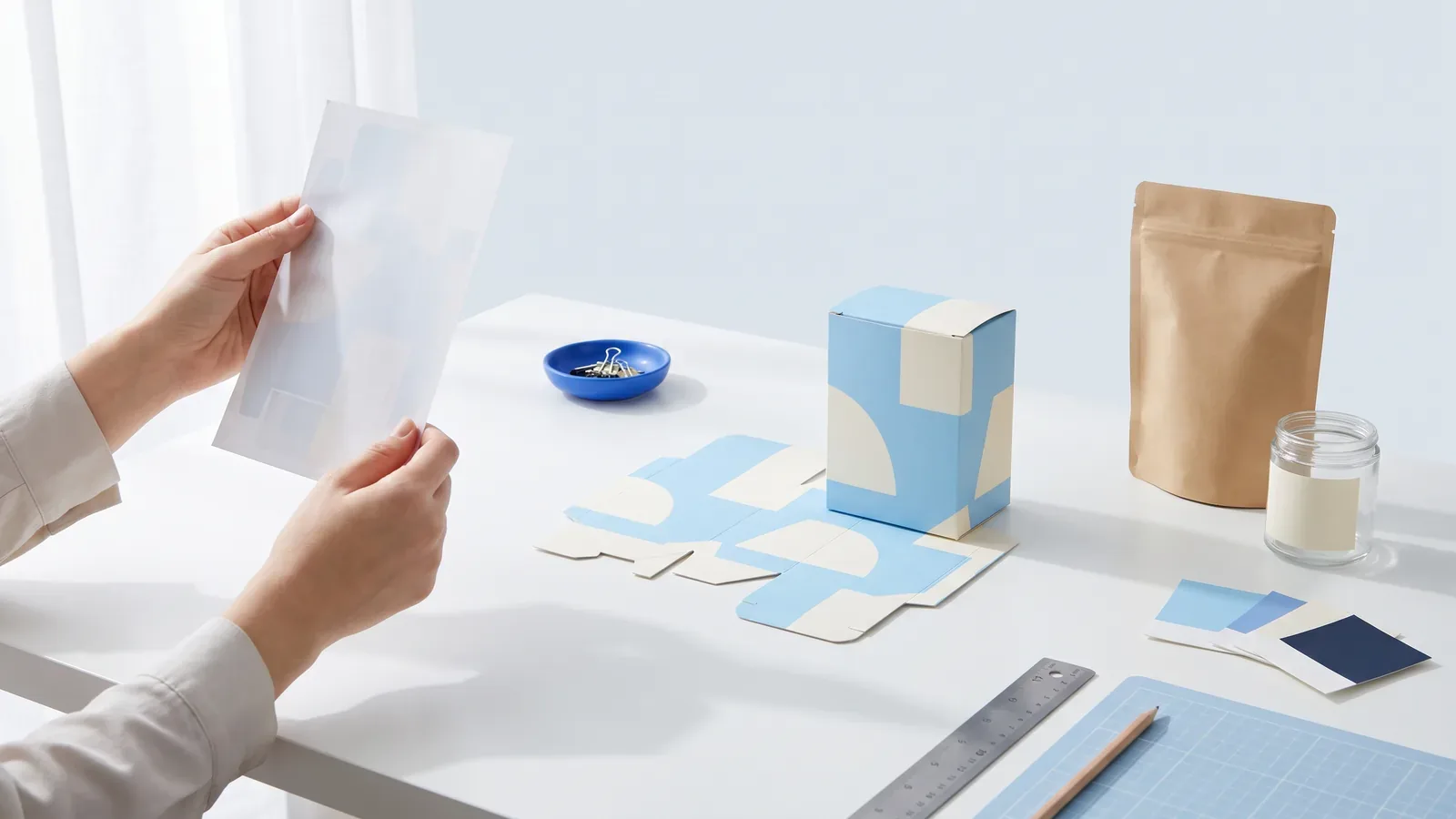
  4. A print proof held over a desk with cartons and swatches

    Words

    Winery and wine name, sent as typed

    Brand name, wine name and up to six lines go to the AI word for word. Small legal type is where AI slips most, so proof it closely, or set the warning in your own layout file.

Before You Make Wine Labels

What TTB asks for, which sizes to use and how to name the wine. The wine label maker designs the look; it doesn’t check the rules.

What a US wine label must show

For wine sold in the US, TTB lists these mandatory items. The wine label maker doesn’t check them, so compare your final file with TTB’s own checklist.

  1. 1Brand name, and the class or type (such as "Red Wine" or "Pinot Noir"), on the brand label.
  2. 2An appellation of origin when you name a grape, a vintage or "estate bottled".
  3. 3Alcohol content written like "Alc. 13.5% by vol." ("ABV" is not accepted); wine of 7 to 14% may use "table wine" instead.
  4. 4Net contents such as "750 mL", plus the bottler’s or importer’s name and address.
  5. 5"Contains sulfites" at 10 ppm or more, and the GOVERNMENT WARNING with its heading in bold capitals, at least 2 mm tall on a 750 ml bottle.

Selling wine takes label approval (a COLA) from TTB. Wine made at home for personal or family use may not be sold.

Front label, back label and sizes

3.5 x 4 in is a common front label for a 750 ml bottle, 4 x 5 in suits bigger or wider bottles and 3 x 4 in fits most back labels. These are common sizes in the wine label builder, not a rule: measure the flat part of your bottle.

TTB wants the brand name and class or type on the brand label; most wineries put the warning, alcohol, net contents and address on the back. Bottles that taper need a narrow label, or the labels for tapered containers tool.

Naming the wine

Good names often come from the place, the vineyard’s story or a family word. Say it aloud, then search the TTB COLA public registry so you don’t pick a name already on a label.

Wineries that sell personalized wedding or gift labels can ask TTB, in the COLA, for leave to change names, dates and art without a new approval (TTB G 2017-2). Sparkling wine has its own custom champagne bottle label page.

Paper, finish and printing

The wine label maker PDF is the exact size plus 1/8 inch bleed, holding a 300 dpi RGB image. Home printers and most label printers take it. Foil, embossing and spot colors need a vector file from a designer, so ask your printer first.

Wine sits in ice buckets, so ask for a wet strength paper or a film stock. Print one label, wrap it on the bottle and check it in daylight before the run.

Order a short run first: paper texture changes how colors and fine engraving look.

Who Uses This Wine Label Builder

Why people pick an AI wine label builder: a fresh look in a few clicks, at the size they print.

  • Small wineries

    New releases, club bottlings and tasting room specials, drafted before you brief a designer.

  • Home winemakers

    Labels for your own vintage and the bottles you give to friends.

  • Weddings and gifts

    Names, dates and a toast on a bottle for a wedding, a thank you or a holiday box.

  • Designers and print shops

    A wine label designer for quick concepts to show a client, from a crest or a sketch.

Wine Label Maker Questions

Sizes, rules, files and costs.

Make Your Own Wine Labels Today

Pick the size, describe the wine and download a print-ready label with bleed from the wine label maker. The credit cost shows on the button first.