Skip to content

Free printable templates

Free Blank Nutrition Label Templates

PackDesignAI is a free blank nutrition label maker for FDA Nutrition Facts: pick one of 6 formats and get a template with write-in lines where the numbers go, and %DV lines only where FDA asks for them. Download PDF, SVG, EPS or PNG at any width, or fill it in online. First download free, no watermark.

Blank Nutrition Facts template

Label format

Standard vertical
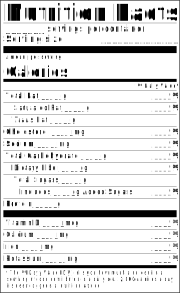
Preview of the blank Nutrition Facts templateNutrition Facts_______ servings per containerServing size______________Amount per servingCalories% Daily Value*Total Fat _____g____%Saturated Fat _____g____%Trans Fat _____gCholesterol _____mg____%Sodium _____mg____%Total Carbohydrate _____g____%Dietary Fiber _____g____%Total Sugars _____gIncludes _____g Added Sugars____%Protein _____gVitamin D _____mcg____%Calcium _____mg____%Iron _____mg____%Potassium _____mg____%* The % Daily Value (DV) tells you how much a nutrient in aserving of food contributes to a daily diet. 2,000 calories a dayis used for general nutrition advice.
Vector · outlined text · 100% K black
Fill it in online

Opens the free Nutrition Facts maker with this format; it rounds every value for you.

  • Free to design
  • First download free
  • No watermark
  • Runs in your browser

Free blank templates, no watermark. Print at actual size or fill one in online.

  • All 6 FDA formats
  • %DV lines only where required
  • PDF, SVG, EPS and PNG
  • First download free, no watermark

Blank Nutrition Facts Label Templates in 6 Formats

Each blank nutrition facts template below was drawn by the tool: a line wherever a number goes, and a %DV line only where FDA requires a percent.

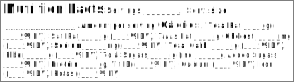
Blank standard vertical Nutrition Facts label with write-in lines
Standard verticalThe template most packages use
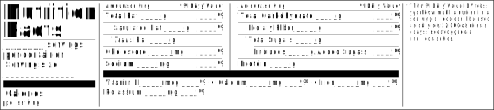
Blank tabular Nutrition Facts label
TabularFor wide, short panels
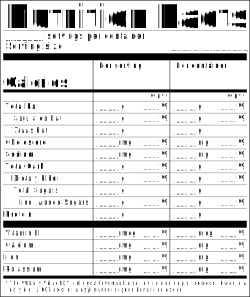
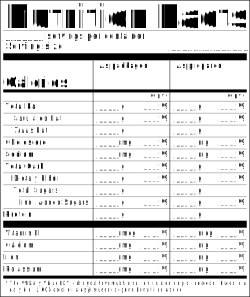
Blank dual column Nutrition Facts label per serving and per container
Dual columnPer serving and per container
Blank linear Nutrition Facts label
LinearOne running line for small packages
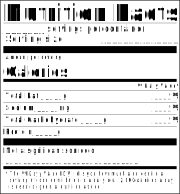
Blank simplified Nutrition Facts label with a Not a significant source line
SimplifiedFive core rows and a write-in line
Blank dual column Nutrition Facts label as packaged and as prepared
Dual columnAs packaged and as prepared

Real output of the tool. Pick a format in the template maker above.

How to Use a Blank Nutrition Label Template

Three steps from an empty nutrition label to a printed nutritional facts template.

  1. Choose standard, tabular, linear, simplified or one of the two dual column layouts. Each thumbnail shows the empty nutrition facts label in that format.

  2. Add polyunsaturated and monounsaturated fat, sugar alcohol, a protein %DV space or up to 4 extra vitamin rows. Standard and simplified can set vitamins side by side, and the as packaged and as prepared headings are yours to rename.

  3. Type a width in inches or millimeters, then download PDF, SVG, EPS, PNG or JPG, or print the nutrition label template blank at actual size. Rather type the numbers? Fill it in online and the maker rounds them for you.

Choosing the tabular blank Nutrition Facts format

A Nutrition Facts Template Drawn to the Rule

Not a picture of a label: a nutritional information template built from the same layouts, bars and type sizes as a filled FDA panel.

  1. Write-in lines on a blank Nutrition Facts label

    Write-in lines

    Lines where the numbers go

    Each amount gets a short line with its unit, and the %DV column gets a line only where FDA requires a percent: fats, cholesterol, sodium, carbohydrate, fiber, added sugars, vitamins and minerals. Trans fat and total sugars stay without one, as on a real label.

  2. Blank dual column Nutrition Facts template

    Six formats

    Every main FDA layout

    Standard vertical, tabular, linear, simplified, and dual column per serving and per container or as packaged and as prepared. Calories keep an open space big enough to write by hand, since a line there would run into the bar below.

  3. Blank simplified Nutrition Facts template with optional rows

    Optional rows

    Only the rows your product needs

    Turn on poly and mono fat, sugar alcohol or a protein %DV space, add 0 to 4 blank vitamin rows, or set vitamins side by side on standard and simplified. Vitamin D, calcium, iron and potassium are always there. On the simplified template, you choose which rows join the five core ones.

  4. Blank tabular Nutrition Facts template as a vector file

    Print files

    Vector files at the size you need

    Set any width in inches or millimeters and the height follows, with the smallest width at FDA type sizes shown. PDF and EPS come with outlined text and 100% K black, SVG can keep editable text, and PNG or JPG export at 300 dpi. Each Nutrition Facts label blank template prints at actual size from the same panel.

How to Fill In a Blank Nutrition Facts Label

What to know before you write a single number.

Which format to pick

Standard vertical suits most boxes and bags, and tabular suits wide, short panels. A package with under 40 square inches for labeling may use tabular, or linear when tabular will not fit (21 CFR 101.9(j)(13)). Dual columns show per serving and per container, or as packaged and as prepared.

The simplified format is allowed only when at least 8 of the listed nutrients are present in insignificant amounts (101.9(f)). The template keeps the five core rows; which others stay is your call.

How to fill in the numbers

Start from a lab report or a nutrient database, then round each value the FDA way before you write it in. Calories under 5 are 0, up to 50 round to the nearest 5 and above that to the nearest 10. Sodium from 5 to 140 mg rounds to the nearest 5 mg.

  1. 1Serving size goes in a household measure and grams, such as 2/3 cup (55g).
  2. 2%DV is the amount divided by its Daily Value, times 100; sodium uses 2,300 mg.
  3. 3Mandatory rows such as trans fat stay on the label even at 0 g.

Skip the math: Fill it in online opens the same format in the free nutrition label maker, which rounds every value for you.

Using it in Word, Canva or Illustrator

There is no Word or Excel file, but Word, Google Docs and Canva place the PNG like any picture. For a nutrition facts template for Illustrator or other design software, download the PDF, EPS or SVG: all three are vector, so the bars stay sharp at any size.

Want editable text in the SVG? Turn off "Outline text" in the Size step. Leave it on for files you send to a printer.

Classrooms, cottage food and the fine print

Teachers use a blank nutrition facts label to practice reading labels, and students build a cereal box nutrition facts template for class projects. Print it at actual size or wider, then fill it in by hand.

Many small sellers are exempt from Nutrition Facts under 101.9(j)(1) or (j)(18), but a nutrient claim such as "low fat" ends the exemption. A template alone does not make a label compliant: the numbers you write and the rows you keep decide that.

Who Prints These Nutrition Facts Templates

Classrooms, kitchens and design studios all start from a nutritional info template.

  • Blank standard Nutrition Facts template for a worksheet

    Teachers and students

    Worksheets, food science labs and cereal box nutrition label template projects, printed as large as you like.

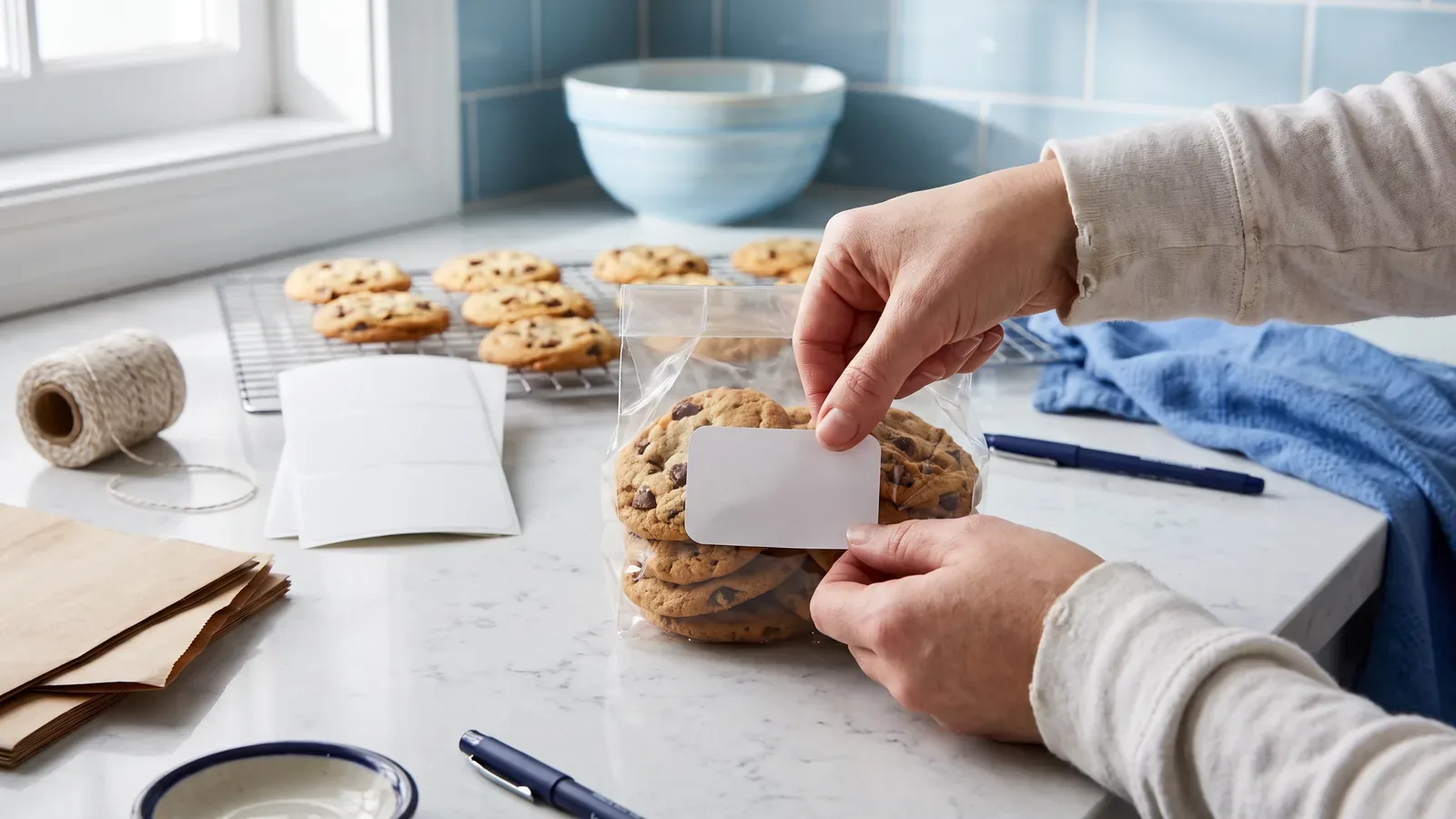
  • Home baker pressing a label onto a cookie bag

    Home bakers

    Print the nutrition label blank, write in the values from your lab report and stick it on the bag.

  • Honey jar at a farmers market stall

    Market sellers

    A blank nutrition food label for jars and jams, sized to the label sheets you already buy.

  • Designer desk with a print proof and carton samples

    Packaging designers

    An empty nutrition label as a placeholder in mockups and dielines until the real values arrive.

Blank Nutrition Label FAQ

Straight answers about formats, files and rules.

Get Your Free Nutrition Facts Template

Six FDA formats, write-in lines and vector files: pick a blank nutrition label above, set the width and print it at actual size, or fill it in online.