How to Use AI to Optimize Packaging
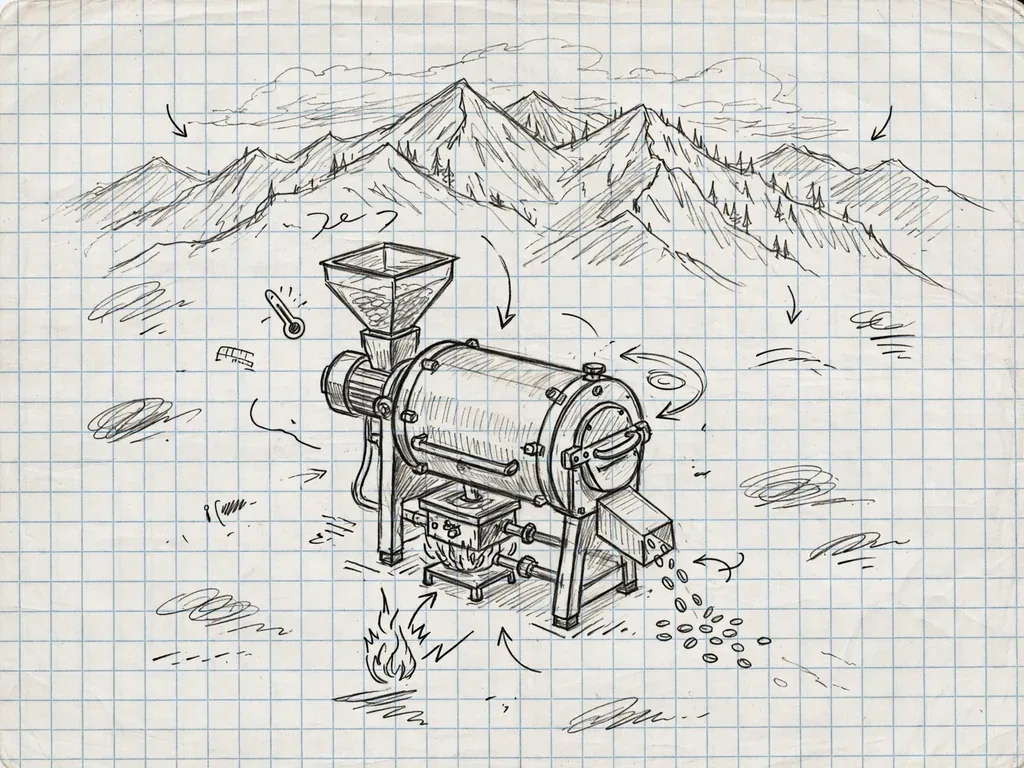
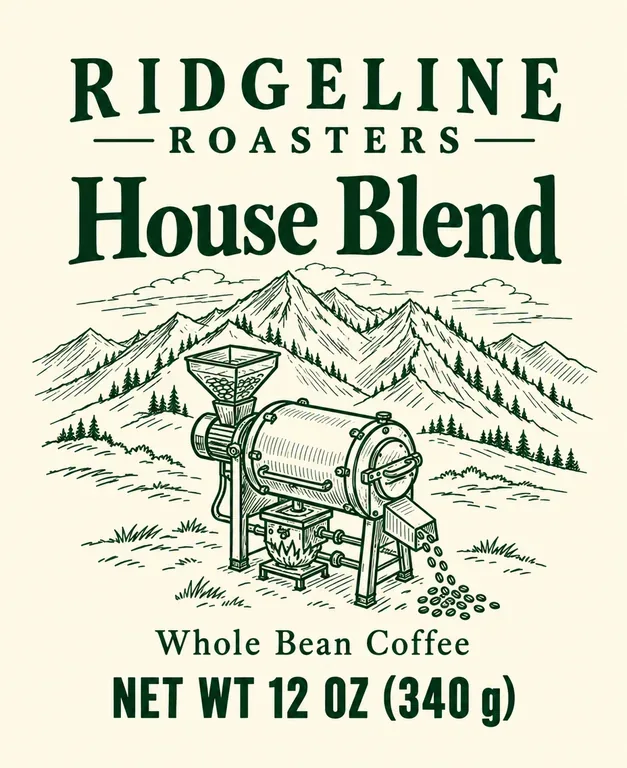
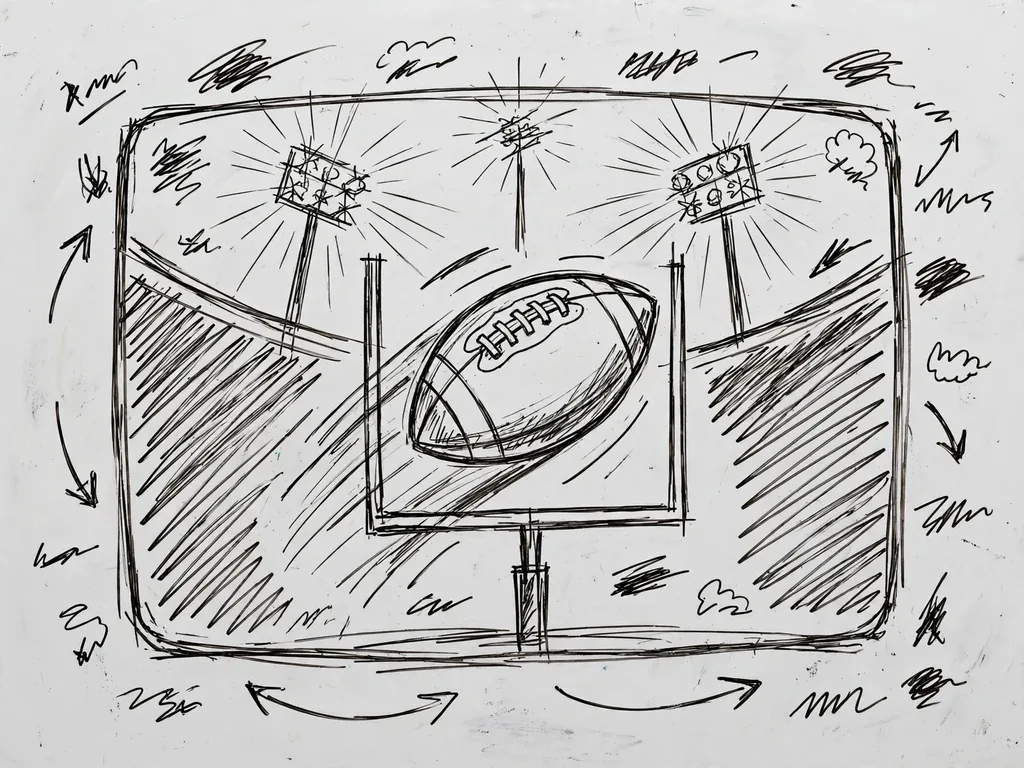
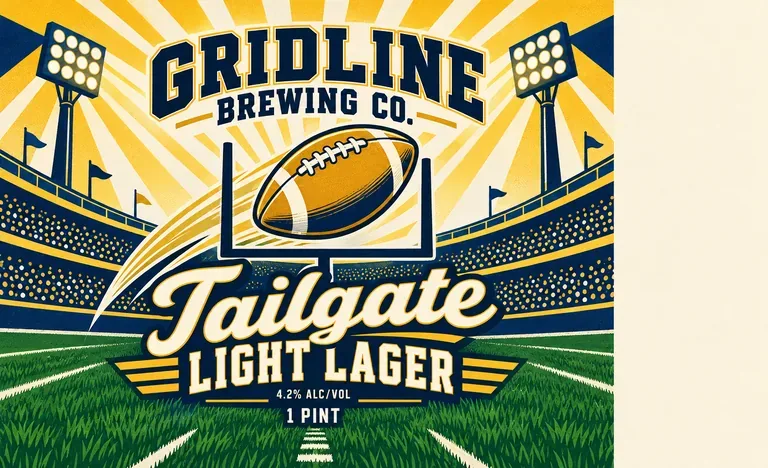
AI helps most at the start of a packaging project: concept art, label drafts, mockups and product shots in minutes. It does not replace a dieline, a regulatory check or a printed proof. This guide shows where to use AI to optimize packaging work and where people stay in charge, with examples.
By the PackDesignAI team7 min read
- Where AI helps, where not
- Real input and output pairs
- A workflow you can copy
- No hype, no made up numbers
In this guide6
Where AI in Packaging Helps Today
Image models are good at one thing that packaging work needs a lot of: many visual options, fast. A designer who used to sketch three directions can now look at a dozen and spend the saved time on the one that matters. That is the honest way to use AI to optimize packaging work today.
| Task | What AI does well | Tool to try |
|---|---|---|
| Concepts | Many styles and moods for one product in minutes | Box designer |
| Label art | Drafts at a chosen label size, with a print PDF and bleed | AI label generator |
| Mockups | Your flat art shown on a bottle, box, pouch or can | Mockup generator |
| Product photos | Your product placed in a generated scene | AI product photography |
| Backgrounds | Clean scenes for your own product shots | AI background generator |
Where AI Does Not Optimize Packaging
The same models that draw a lovely label have no idea how thick your board is or what the law asks your panel to say. Keep these jobs with people and rule based tools:
- Structure. A picture of a box is not a dieline. Cut and fold lines must be measured, so draw them with the free dieline generator.
- Legal text. Nutrition Facts, ingredient and allergen lines, supplement panels, care labels and warnings follow exact rules. Several of our AI tools tell the model to leave such panels out; add them from rule based tools.
- Exact words. AI lettering can drop or swap a letter. Proof every word, or set the text yourself in a vector app.
- Print color. AI tools return RGB images. Color matched print needs a printed proof, and spot colors need a designer.
- Rights. A generated logo can look like someone else's mark. Run a trademark search before you print.
A Workflow That Uses AI to Optimize Packaging
The trick to using AI to optimize packaging is to put it where it is strong and keep it away from the steps that must be exact. This order works for most small brands:
- 1
Write the brief
Product, buyer, shelf, required text and budget on one page. Our package brief guide has an outline to copy.
- 2
Fix the structure first
Draw the dieline at the real size so every concept starts on the right shape.
- 3
Explore with AI
Generate a few directions from the brief, with your logo or a sketch as a reference image.
- 4
Pick and refine
Choose one direction, then ask for small variations instead of starting over.
- 5
Build the final art
Recreate the chosen design on the dieline in a vector app, with real fonts and the legal panels from rule based tools.
- 6
Mock up and proof
Show it on the product, then order a printed proof before the run.
Explore box concepts with AI
Describe the product, add your brand name and up to 6 lines of text, attach a logo or sketch, and get up to 4 designs per run as a render or flat panels. AI designs use credits, and the cost shows on the Generate button.
- 5 box styles
- Up to 4 reference images
- One-tap variations
- PNG download
AI Mockups and Product Shots
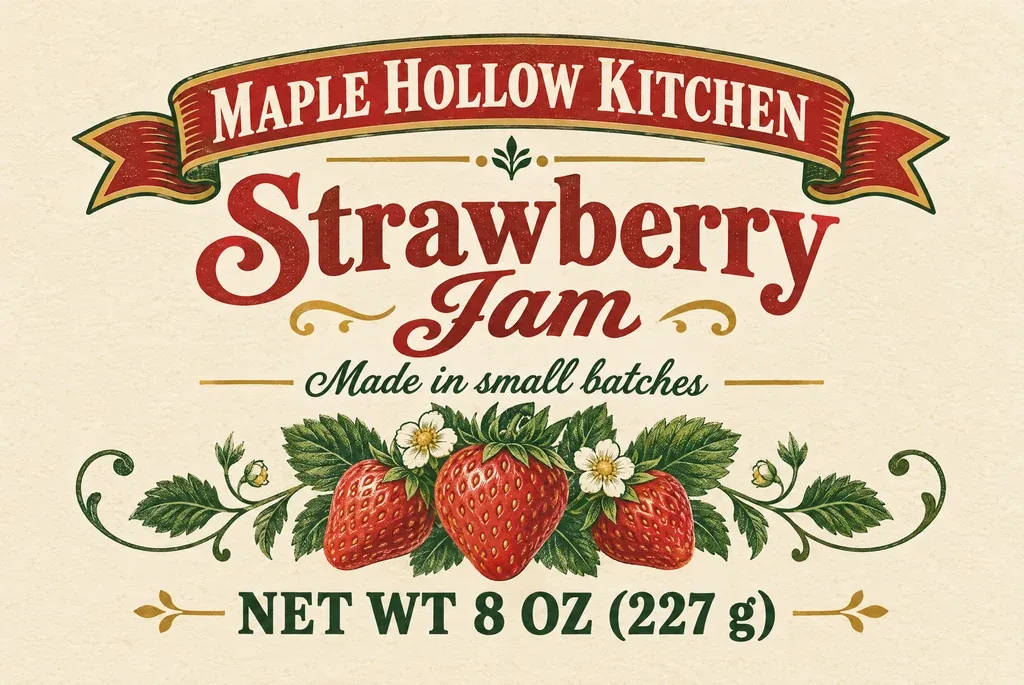
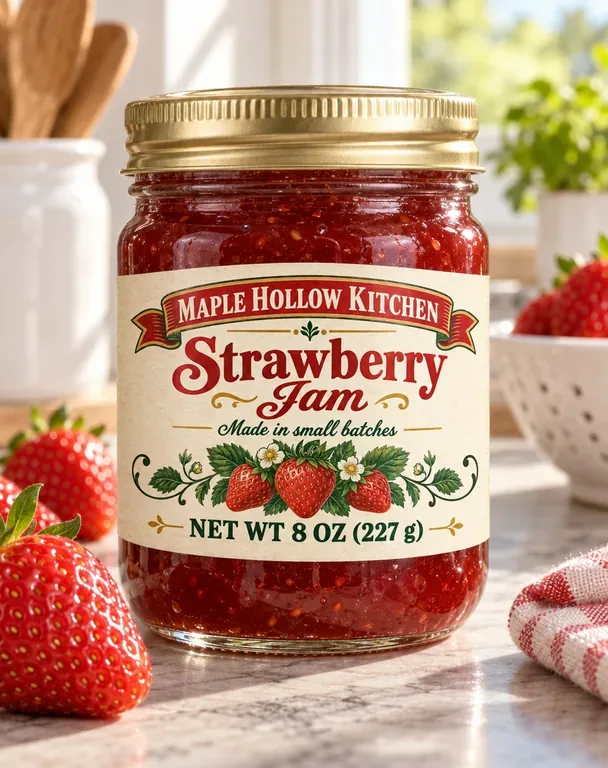
Mockups are where AI in packaging saves small brands the most money: no photo shoot to see a label on a jar. Upload the flat art, pick a product, a scene and an angle, and you get a picture to show a buyer or test in an ad.
Show your design on the product
Upload your label, logo or flat packaging art and place it on a box, mailer, pouch, coffee bag, paper bag, bottle, jar, can, tube or cup. AI designs use credits.
- 10 product types
- 5 scenes, 4 angles
- Up to 4 images per run
- No watermark
AI in Packaging Beyond the Design Desk
When manufacturers talk about using AI to optimize packaging, they often mean the plant and the warehouse, not the artwork. These systems are built for factories and shippers; PackDesignAI does not make them, but it helps to know the terms:
- Line inspection. Cameras with trained models check that labels sit straight, codes are readable and seals are closed, and reject faulty packs.
- Box right sizing. Software picks or makes the smallest box that fits each online order, which cuts filler and shipping volume.
- Packaging optimization studies. Engineers use simulation and generative tools to test lighter structures and less material before a sample is made.
- Planning. Forecasts help buyers order the right amount of boxes, labels and film.
For a small brand, the closest everyday version of packaging optimization is simpler: measure the product, choose the smallest box that protects it, and check the volume with a box volume calculator before you order.
Checklist Before AI Art Goes to Print
- 1.Proof every word, number and symbol letter by letter, or reset the text in a vector app.
- 2.Place the art on a measured dieline with bleed, never on the AI box picture.
- 3.Add legal panels from rule based tools, not from the image model.
- 4.Check colors on a printed proof; screens and AI images are RGB.
- 5.Search the main mark and name for trademark conflicts.
- 6.Keep the prompt, the references and the chosen image with the job files.
AI in Packaging FAQ
Use it for the visual steps: concepts, label and box art drafts, mockups and product photos. Keep the dieline, the legal text and the final print file with people and rule based tools.
It can draft the artwork, not the whole job. You still need a measured dieline, exact text, the required panels and a printed proof before you order.
Not a reliable one. An image model draws a picture of a box, not measured cut and fold lines. Use the free dieline generator for the structure and put the AI art on it.
No. Those follow exact US rules, so an image model should not draw them. Make the panel in the free nutrition label maker and write care labels from the FTC rule.
Our terms say you keep the rights you have in your results. Check that nothing in the design copies an existing brand or mark, and run a trademark search for the name and logo.
Image models draw letters as shapes, so a letter can drop or change. Ask for short exact lines, proof the result, and reset any wrong text in a vector app.
AI designs use credits, and each Generate button shows the cost before you press it; designs that fail are refunded. The structure and food label tools are free.
Mostly camera inspection on packing lines, box right sizing for online orders, simulation of lighter structures and planning of material orders. Those are factory systems, separate from design tools.
It changes the work more than it removes it. Designers who use AI spend less time on first drafts and more on structure, type, print and the decisions a brief needs.
Try AI in Packaging on Your Next Product
Start with concepts and use AI to optimize packaging where it is strong: describe your product to the AI packaging design generator. AI designs use credits, and the cost shows before you generate.
Go to the homepage