Skip to content

Free, in your browser

Free Label Maker Online With Mail Merge

PackDesignAI is a free label maker online for label sheets: design one label with text, images, shapes and barcodes, fill it from a CSV list and download a sheet PDF with every label in place. 21 Letter and A4 layouts or your own. Your first download is free, with no watermark, and nothing is uploaded.

Label maker

Label sheet

US Letter (8.5 x 11 in)

A4 (210 x 297 mm)

Avery is a trademark of its owner. This tool is not affiliated with or endorsed by Avery; a sheet code only says which layout ours matches.

Row 1 of 6

Loading fonts

Every label at its exact position, real size. Text and shapes are vector (the font outlines travel inside the file, nothing to install); photos are embedded as images.

  • Free to design
  • First download free
  • No watermark
  • Runs in your browser

Your design and your list stay on this device: the labels are drawn and exported in your browser, nothing is uploaded.

  • 21 Letter and A4 sheet layouts
  • CSV mail merge up to 500 rows
  • Sheet PDF, 300 dpi PNG, SVG
  • First download free, no watermark

Label Sheets Made With This Label Creator

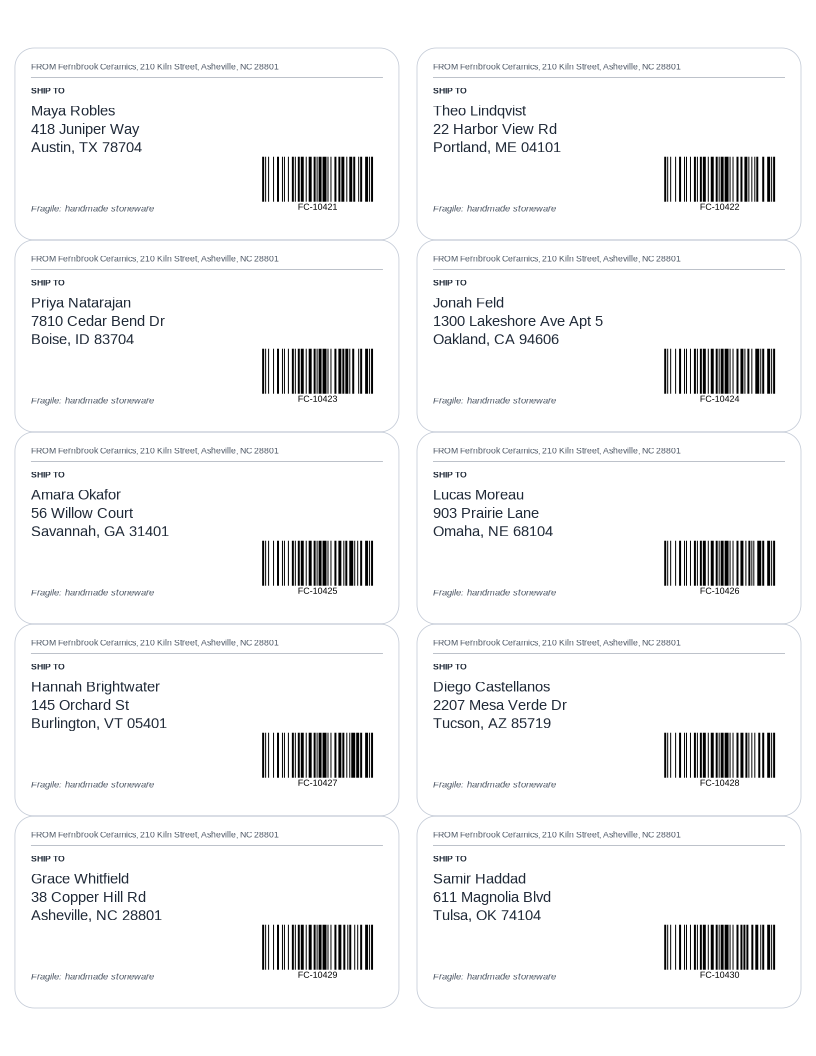
Four sheets from this online label creator, free to use: addresses, round jar labels printed to the edge, A4 spice labels and shipping labels with a barcode.

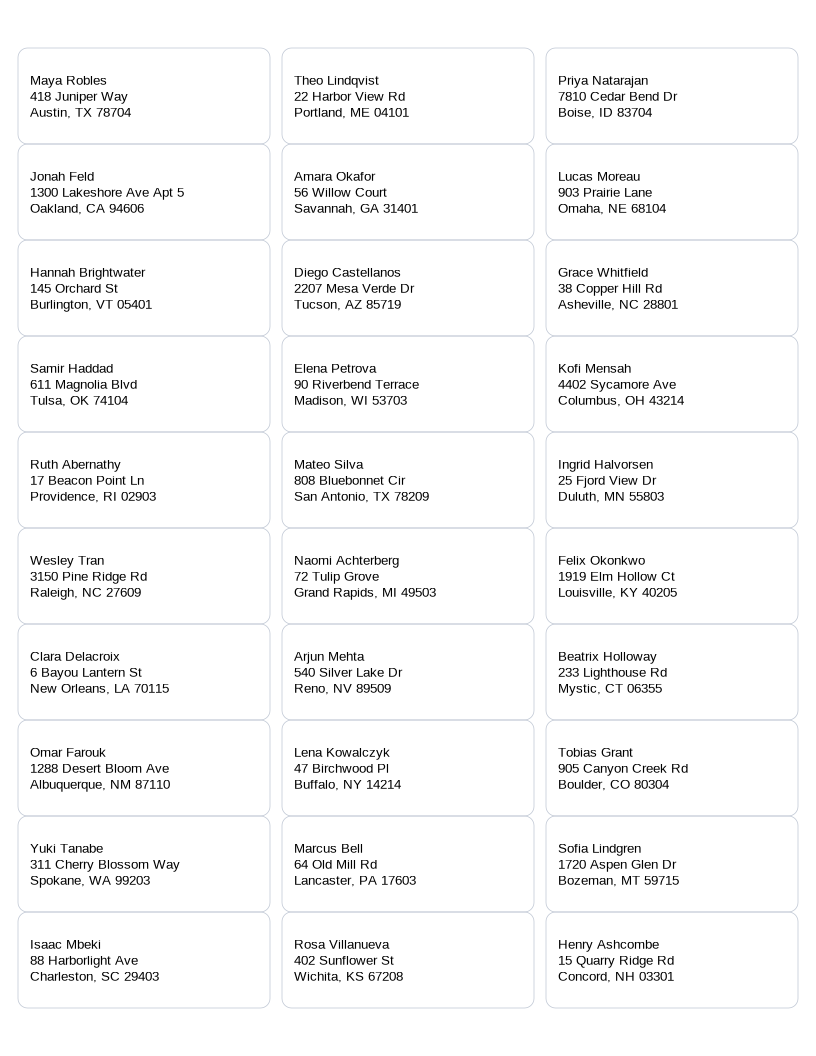
Letter sheet of 30 address labels, each with a different name and address
5160 layout30 address labels filled from a CSV list
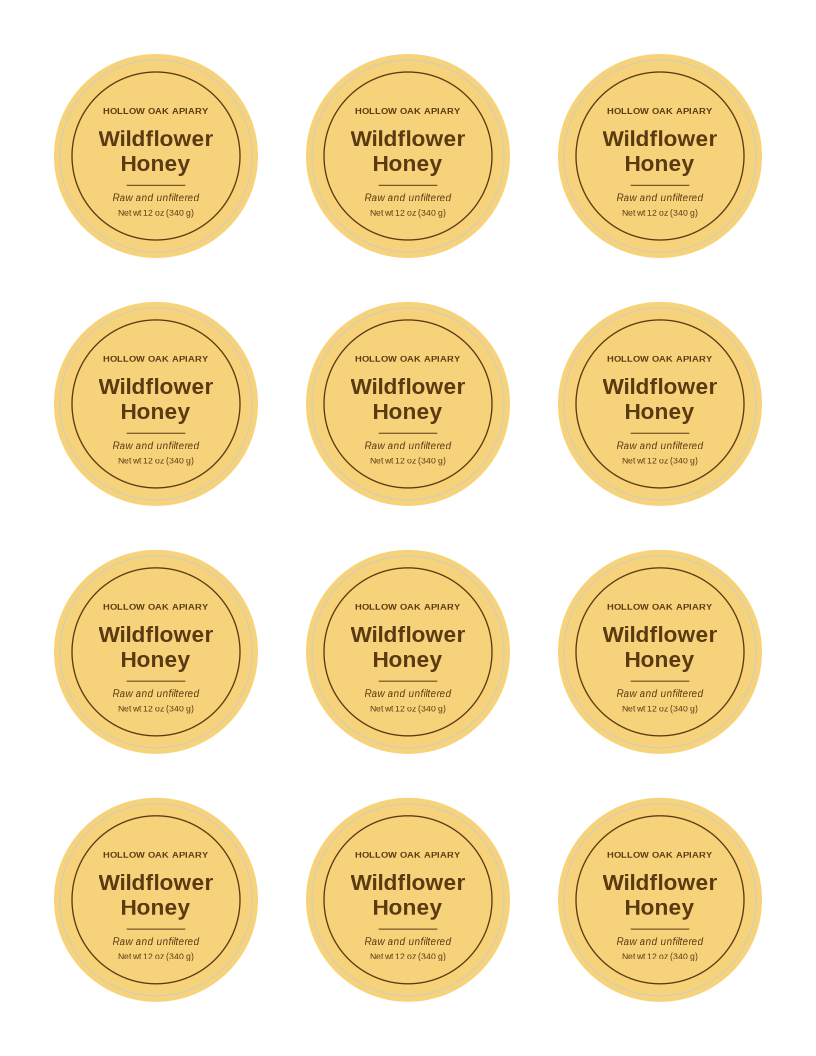
Letter sheet of 12 round honey jar labels with a gold background
22807 layoutRound 2 inch honey jar labels, printed to the edge
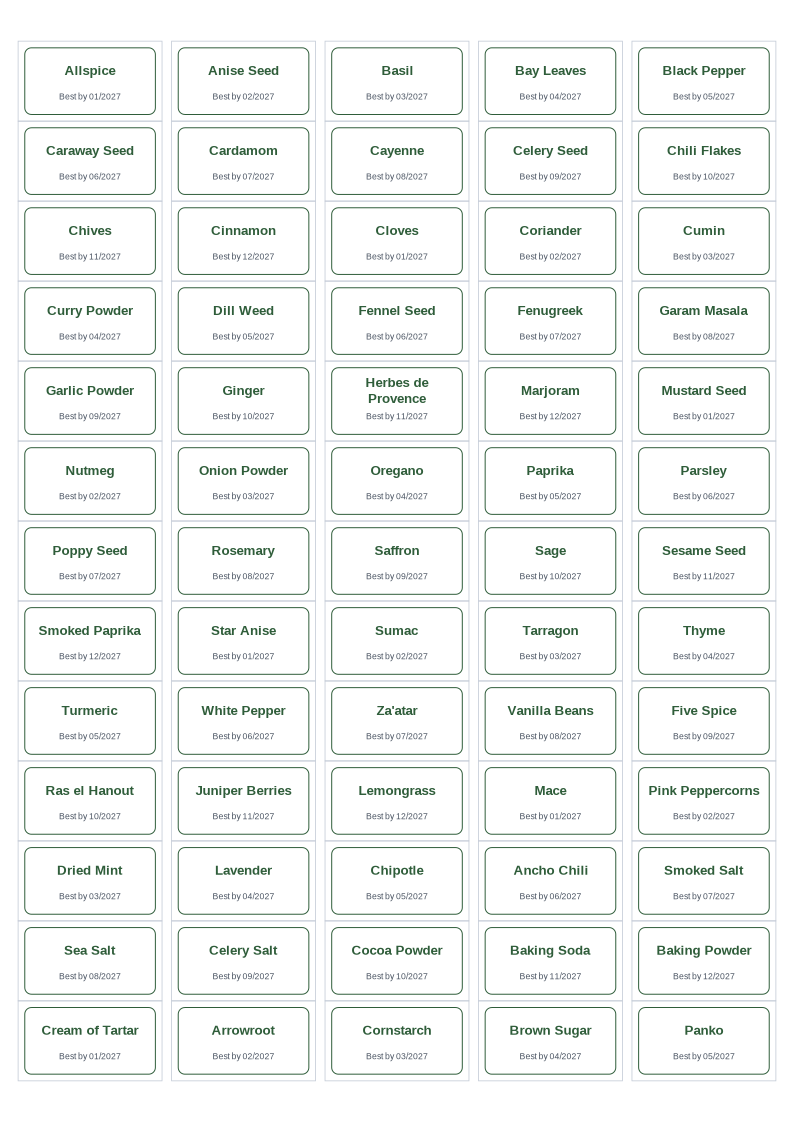
A4 sheet of 65 small spice labels, each with a name and a best by date
L7651 layout65 spice jar labels with best by dates
Letter sheet of 10 shipping labels with a sender line, an address and a barcode
5163 layoutShipping labels with a Code 128 order number

Real output of the tool, with made-up names. Search the same sheet code above to make labels online for free on that layout.

How to Make Labels on a Sheet in 3 Steps

Design your own labels in the label maker online, from search to a print-ready PDF.

  1. Search the code on your label pack, part of a size or a word, such as 5160, 2-5/8 or round. Each of the 21 layouts shows the label size, labels per sheet and the codes that share it. Not listed? Type a custom layout.

  2. Create your own labels for free: add text, images, shapes and barcodes, then drag, resize and snap them. Guides show the edge, bleed and safe area. Every label gets this design, or one list row each.

  3. Paste or upload a CSV, read the Checks tab, then download the test page and the sheet PDF. Print both at 100% (actual size), the test page on plain paper first.

SheetDesignDataPrint

US Letter (8.5 x 11 in)

5160Address labels · 1" x 2-5/8"30 per sheet (3 x 10) · same layout as 8160, 5260, 5520
5163Shipping labels · 2" x 4"10 per sheet (2 x 5)

A Label Designer Built for Real Label Sheets

What a free label designer needs to go from a list to a printed sheet, in one browser tab.

  1. List as CSV

    6 rows
    NameCityZIP
    Maya RoblesAustin78704
    Theo LindqvistPortland04101
    Priya NatarajanBoise83704

    {{Name}}

    {{City}} {{ZIP}}

    Maya Robles

    Austin 78704

    Theo Lindqvist

    Portland 04101

    Priya Natarajan

    Boise 83704

    Row 1 of 6

    Mail merge

    One label for every row of your list

    Paste or upload a CSV up to 1 MB and 500 rows (comma, semicolon or tab), put {{Name}} style placeholders in any text or barcode and step through the rows in the preview. Start at label 7 to finish a partly used sheet; long lists run onto more sheets.

  2. Shipping labels with an order barcode on each label

    Barcodes, images, shapes

    Barcodes and logos where you want them

    Add UPC-A, UPC-E, EAN-13, EAN-8, ISBN, ITF-14, GS1-128, Code 128 or QR codes, filled from your list if you like, plus up to 10 PNG, JPG or WebP images (8 MB each), boxes, circles and lines. Check a retail number first with the UPC barcode generator.

  3. Sheet PDF of 30 address labelsPDF
    Sheet PDFEvery label at real size, vector text
    Test pageLabel outlines and center marks
    PNGOne label at 300 dpi
    SVGOne label, text as outlines

    Print scaling off in the PDF

    Print-ready files

    A sheet PDF at real size

    The label creator places every label at its exact position and size in the PDF, with print scaling turned off. Text and shapes stay vector with the letter shapes inside the file, so there is no font to install. Also export a test page, a 300 dpi PNG or an SVG of one label.

  4. Checks

    3 to fix
    • Barcode cannot be made"12345" is not a valid value for this barcode type.
    • Image is 180 dpi at this sizeFor sharp print a photo needs about 300 pixels per inch.
    • Best by line is very small (5 pt)Text under 6 pt is hard to read on a label.
    • Print at 100%Choose "Actual size", never "Fit to page".
    • Everything is inside the safe areaNo item comes within 1/16 in of the edge.

    Checks

    Problems caught before you waste a sheet

    The Checks tab of the label designer flags items near the edge or off the label, text that does not fit or is under 6 pt, images under 300 dpi, invalid barcodes, thin retail bars and placeholders that match no column, and reminds you to print at 100%.

How to Design a Label That Prints Where It Should

Free label design advice in four short chapters, to read before your first full sheet.

Safe area, bleed and label edges

Keep text and logos inside the safe area, 1/16 in (1.6 mm) in from the label edge, because every printer shifts a little.

Bleed lets a background run past the edge so a small shift leaves no white rim: none, 1/16 or 1/8 in. The label maker online caps it at half the gap between labels, and where labels touch, as on 5160 rows, it stays at zero so color never prints onto the next label.

Type size, fonts and characters

Keep text at 6 pt or larger; smaller type is hard to read. Shrink to fit lowers long lines down to 4 pt, so check them in the preview.

This label designer online has two font families, a sans and a serif, with bold and italic. They cover Western European Latin letters only, so Chinese, Japanese, Korean or Arabic text will not print. One style per text box, with no rotation, outlines, gradients or shadows.

Images and product label design

A photo needs about 300 pixels per inch at its printed size. The label creator warns under 300 dpi and flags anything under 150 dpi as blurry.

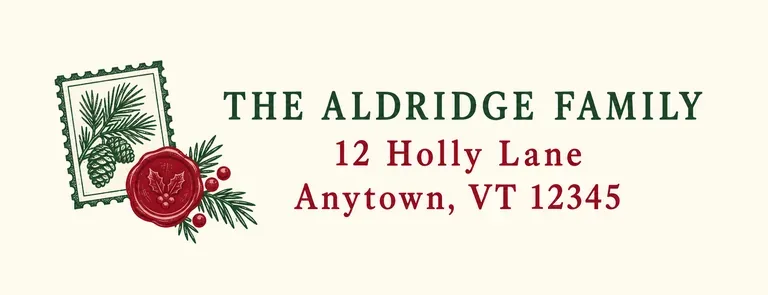
Want artwork first? Make it with the AI label generator (AI designs use credits), then add the PNG to the label designer. The label pictured is a partner demo made with AI. Images are not saved with the draft, so add them again after a reload.

Partner demo: holiday return address label with a pine stamp, designed with AI

Who Uses This Free Label Maker Online

For anyone who wants to design a label online for free, with a label pack, a printer and a list.

  • Home baker pressing a label onto a cookie bag

    Home bakers and makers

    Create product labels for jars, bags and boxes: one design on every label, printed at home.

  • Online seller filming a product on a turntable

    Online shops

    Create labels online for free from an order export: shipping and return addresses with a Code 128 or QR code on each.

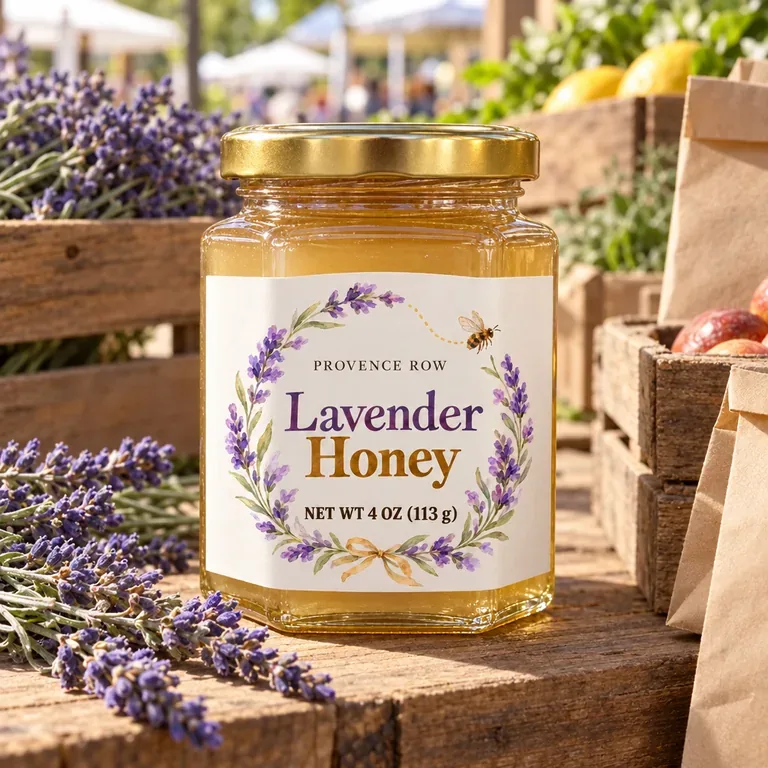
  • Honey jar on a farmers market stall

    Market sellers

    A product label maker for round jar labels and price stickers: create free labels online with best by dates from a list.

  • Packaging designer checking a print proof at a desk

    Product label designers

    Set the final artwork on the sheet your client prints on and hand over a PDF at real size.

Label Maker Online FAQ

Short answers about sheets, lists and files.

Print Your Next Sheet With the Label Maker Online

Create labels for free: pick a sheet, design one label, merge your list and download a PDF with every label in place. A free label maker online with nothing to install, and your first download is free.