Skip to content

Free Cereal Box Template, Mini to Large

PackDesignAI is a free cereal box template maker: tap Mini, Regular or Large, or type length, width and height in inches or mm, and get a seal end carton with glued flaps at both ends, like a store cereal box, sized for your board. Download vector PDF, SVG, DXF or a 300 dpi PNG. Free to design without an account, no watermark.

Dieline generator

Seal end cartonECMA A20 group style

Inside dimensions

in

Front, left to right

in

Side, front to back

in

Bottom to top

Measure your product, then add 1 to 3 mm (about 1/16 in) on each side so it slides in.

Common sizes

Fills length, width and height.

CutCreaseBleed
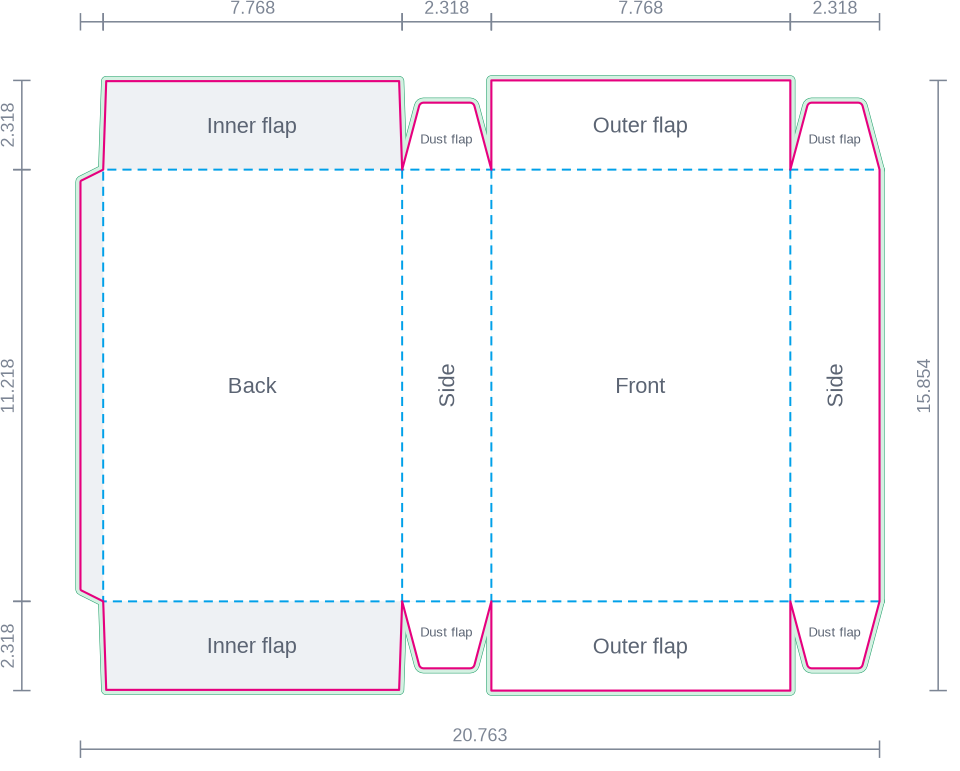
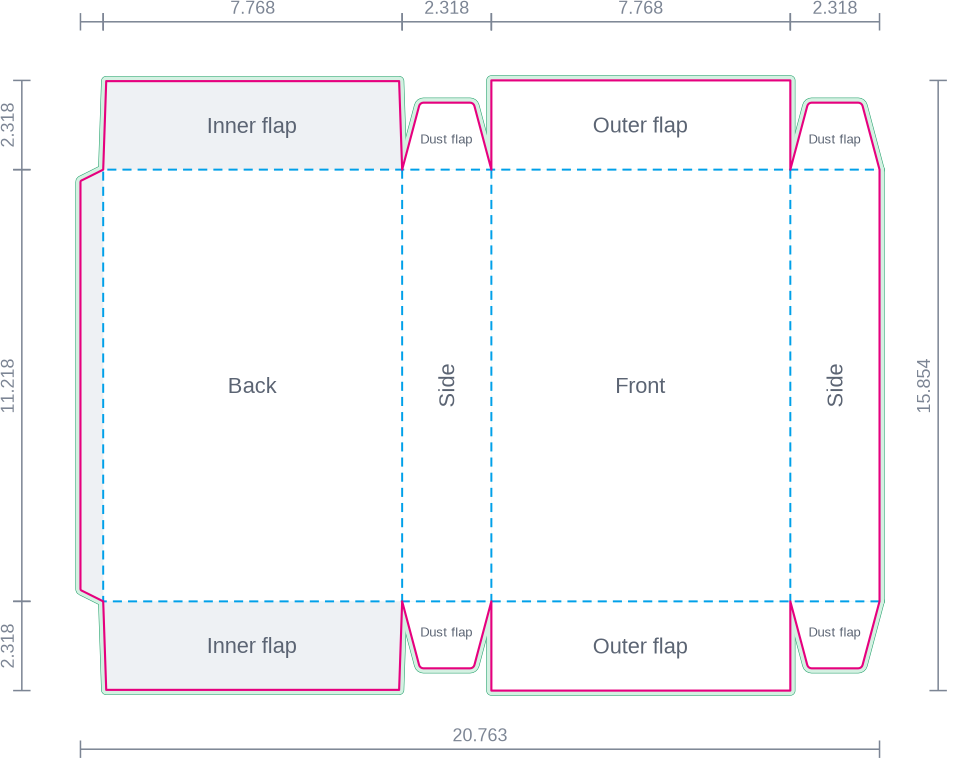
Flat dieline previewFrontSideSideBackInner flapOuter flapInner flapOuter flap7.7682.3187.7682.3182.31811.2182.31815.85420.763

Flat size 20.763 x 15.854 in · 18pt SBS · Caliper 0.018 in

Vector PDF at 1:1, page 24.209 x 19.301 in. Cut and crease are spot colors (CutContour, Crease) on their own layers.

Design this box with AISaved in this browser
  • First download free
  • Runs in your browser
  • Nothing uploaded
  • No watermark

Print and fold a sample before production. Board, printing and folding all vary.

  • First download free
  • Mini, Regular and Large
  • PDF, SVG, DXF and PNG
  • 3D fold preview

Cereal Box Templates in Three Sizes

Each cereal box net below was drawn by the tool: a seal end carton on 18 pt board, cut lines solid, crease lines dashed, panels named.

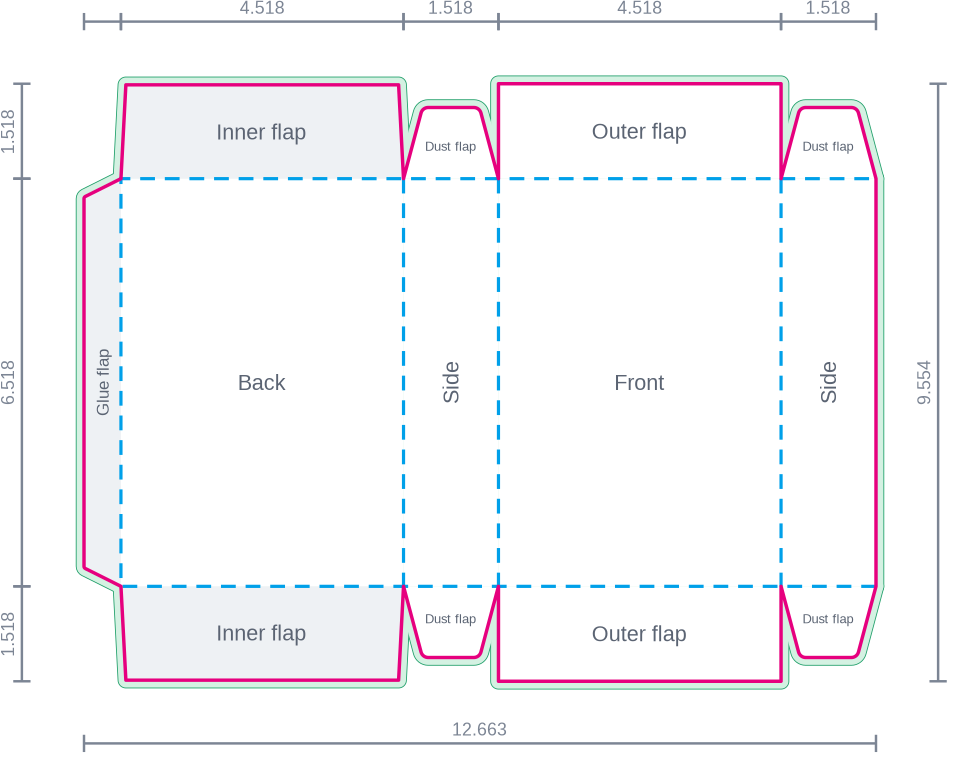
Flat dieline of a mini cereal box, 4.5 by 1.5 by 6.5 inches
Mini4.5 × 1.5 × 6.5 in, fits an A3 sheet
Flat dieline of a regular cereal box with dimensions and panel names
Regular7.75 × 2.3 × 11.2 in, the starting size
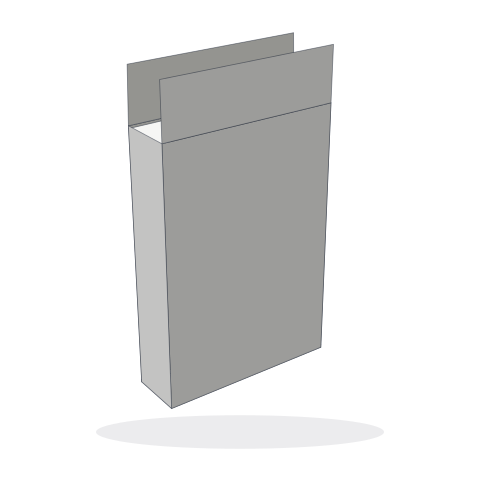
3D preview of a cereal box folding from its dieline
3D viewGlued flaps closing both ends
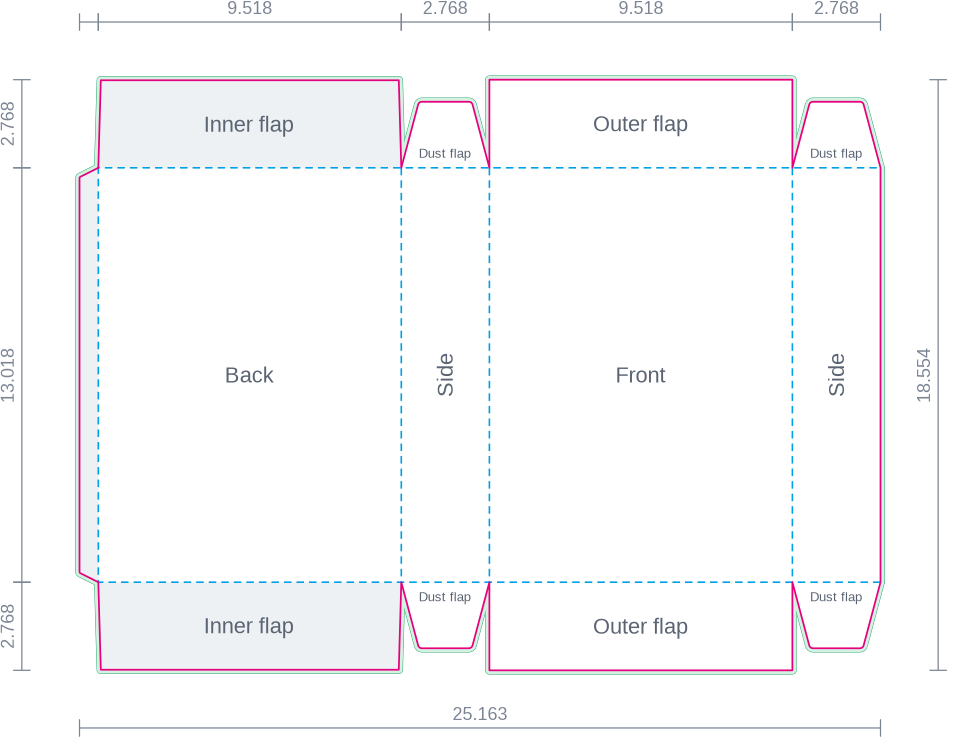
Flat dieline of a large cereal box
Large9.5 × 2.75 × 13 in, a print shop size

Real output of the tool. Use this example opens that size in the generator above.

How to Make a Cereal Box Template

Pick a size, set the board, download the net.

  1. Tap Mini, Regular or Large, or type your own size: length across the front, width for the depth, height from bottom to top, in inches or millimeters.

  2. Start from 18 pt SBS or pick kraft, another SBS, a flute or your own caliper. Set the dust flaps and glue flap, add a window on the front, and set bleed to 1/8 in, 3 mm or none.

  3. Fold it in 3D, read the Checks tab, then download vector PDF, SVG, DXF or PNG. Print a sample, cut and score it, glue the side seam, then glue each end shut.

Mini cereal box dieline at its flat size

A Cereal Box Net With a Clean Front

A big front for the art, side panels for the facts, and ends that glue shut like a store box.

  1. Seal end cereal box closing its glued flaps in 3D

    Seal end

    Glued at both ends, like a store box

    At each end the dust flaps fold in, the inner flap on the back carries the glue, and the outer flap on the front closes over it. Glue areas are shaded in the preview, and the front panel has no notch or slits, so the artwork runs edge to edge.

  2. Regular cereal box dieline with every panel named

    Panels

    A place for every part of the pack

    Turn on panel names to see front, back, sides, the inner and outer flaps and the glue flap. The Nutrition Facts usually goes on a side panel: make it in the nutrition label maker, then place it there in your design file.

  3. Large cereal box dieline ready for a check

    Checks

    Warnings made for tall boxes

    The Checks tab warns when dust flaps are too short or would overlap, when the board is thick for the depth, when the glue flap is narrow and when the drawing is too big for your sheet. Each warning has a Why? note.

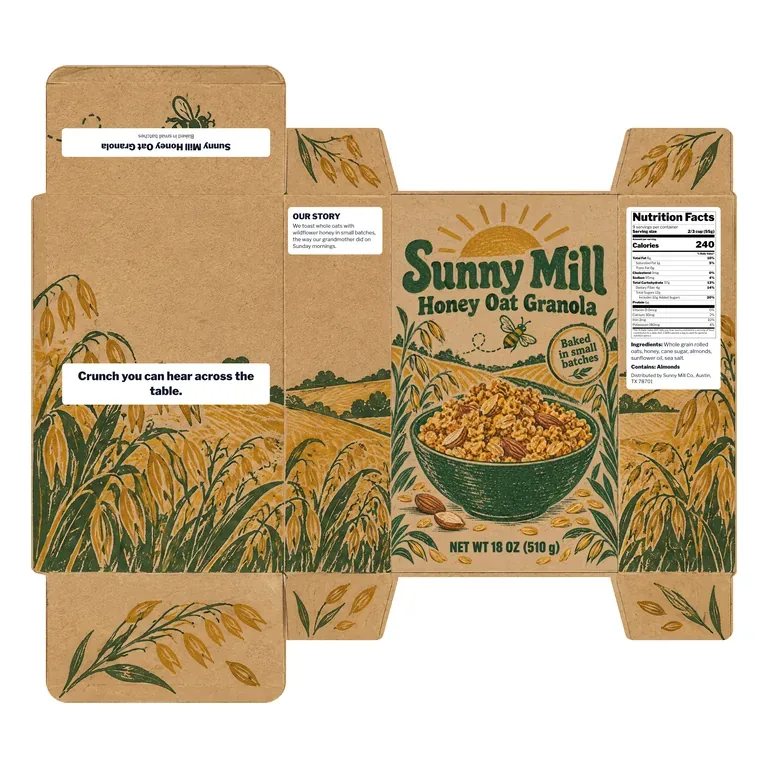
  4. Partner demo: kraft granola cereal box artwork laid out on a flat dieline

    Artwork

    Lines here, artwork in the box designer

    The cereal box dieline is lines only. Lay your artwork over it in your own program, or open the box designer to design the pack with AI (AI designs use credits). Pictured: a partner demo made with AI.

Cereal Box Dieline Guide

Sizes, closures, panels and printing in four short notes.

Common cereal box sizes

The chips are common sizes, not standards: Mini 4.5 × 1.5 × 6.5 in, Regular 7.75 × 2.3 × 11.2 in and Large 9.5 × 2.75 × 13 in. Store boxes vary with brand and fill weight, so measure your bag or product and type the size if it differs.

Why the ends are glued

Supermarket cereal cartons close with glued flaps at both ends, usually around an inner bag, and this cereal box template draws the same seal end. Glue the side seam and the bottom, fill the box, then glue the top.

Want a lid you can open and close again? The rectangle box template closes with tucks instead.

What goes on each panel

Plan the artwork panel by panel before you design:

  1. 1Front: brand, product name and the main picture.
  2. 2Back: a story, a recipe or a puzzle.
  3. 3Sides: Nutrition Facts, ingredients and allergens, from the food label maker.
  4. 4Top or bottom: a barcode from the UPC barcode generator.

Printing a cereal box net

The Mini box fits an A3 sheet with every layer on. The Regular and Large boxes are larger than A3, so print them on a wide format printer or at a print shop. Before a run, have your printer check the file against their board and die.

For a classroom box on a home printer, type a smaller size; the Checks tab tells you which sheet it fits.

Who Uses a Cereal Box Template

From a granola startup to a fourth grade book report.

  • Granola and snack startups

    Sample cartons for a pitch, a photo shoot or a farmers market test, sized to the real bag.

  • Students and teachers

    A printable cereal box template for book reports and design projects, folded from a flat sheet.

  • Packaging designers

    A cereal box dieline to design on, mock up and hand to the printer.

  • Gift makers

    Custom cereal boxes for birthdays and parties, filled with treats instead of flakes.

Cereal Box Template FAQ

Short answers about sizes, panels and files.

Get Your Free Cereal Box Template

Pick a size, set the board and download a cereal box template as PDF, SVG, DXF or PNG. First download free, nothing uploaded.