Skip to content

Free Blind Box Template in Any Size

PackDesignAI is a free blind box template maker for collectible figure boxes: type a size in inches or mm, or tap one of three common sizes, and get a tuck end box with creases set for your board. Download vector PDF, SVG, DXF or a 300 dpi PNG. Free to design without an account, no watermark, nothing uploaded.

Dieline generator

Reverse tuck endECMA A20.20.03.01 style

Inside dimensions

in

Front, left to right

in

Side, front to back

in

Bottom to top

Measure your product, then add 1 to 3 mm (about 1/16 in) on each side so it slides in.

Common sizes

Fills length, width and height.

CutCreaseBleed
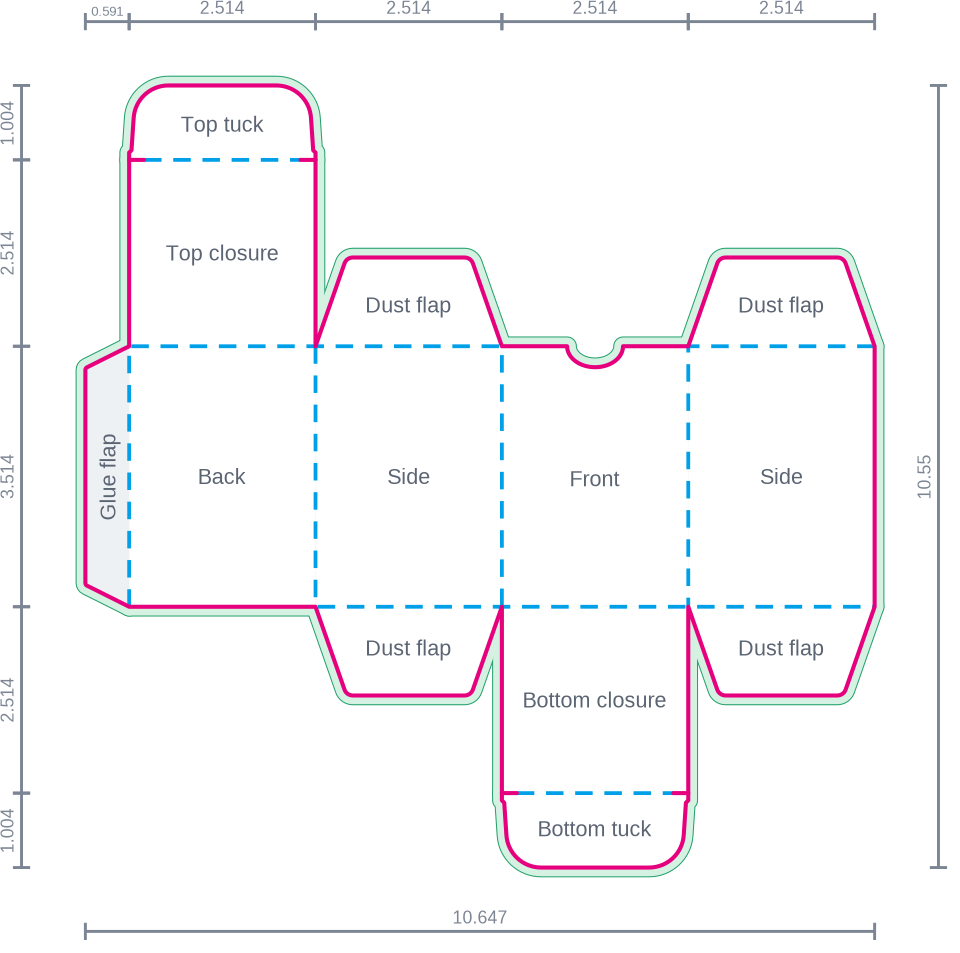
Flat dieline previewFrontSideSideBackGlue flapDust flapDust flapTop closureTop tuckDust flapDust flapBottom closureBottom tuck2.5142.5142.5142.51410.6471.0042.5143.5142.5141.00410.55

Flat size 10.647 x 10.55 in · 14pt SBS · Caliper 0.014 in

Vector PDF at 1:1, page 12.843 x 12.746 in. Cut and crease are spot colors (CutContour, Crease) on their own layers.

Design this box with AISaved in this browser
  • First download free
  • Runs in your browser
  • Nothing uploaded
  • No watermark

Print and fold a sample before production. Board, printing and folding all vary.

  • First download free
  • 3 common figure sizes
  • PDF, SVG, DXF and PNG
  • 3D fold preview

Blind Box Templates in Three Figure Sizes

Each blind box template below was drawn by the tool: a reverse tuck end carton on 14 pt board, cut lines solid, crease lines dashed, panels named.

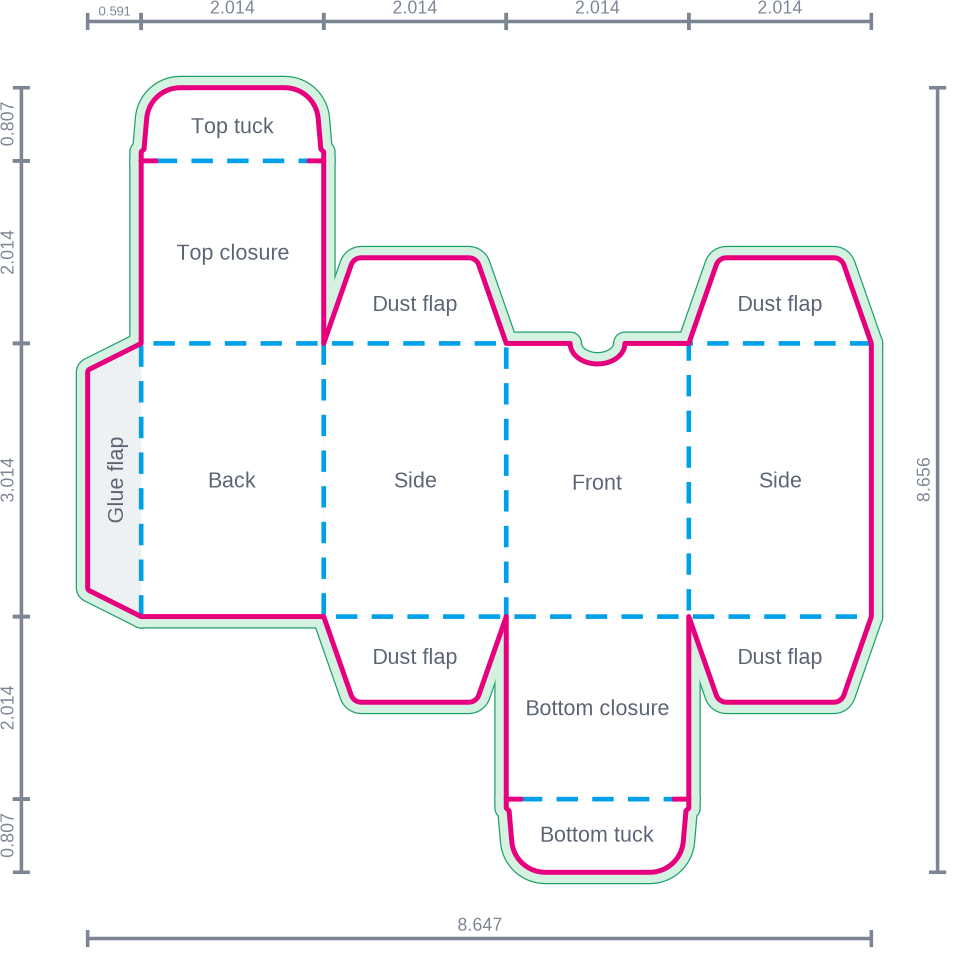
Flat dieline of a 2 by 2 by 3 inch blind box
2 × 2 × 3 inMini figures, prints on Tabloid or A3
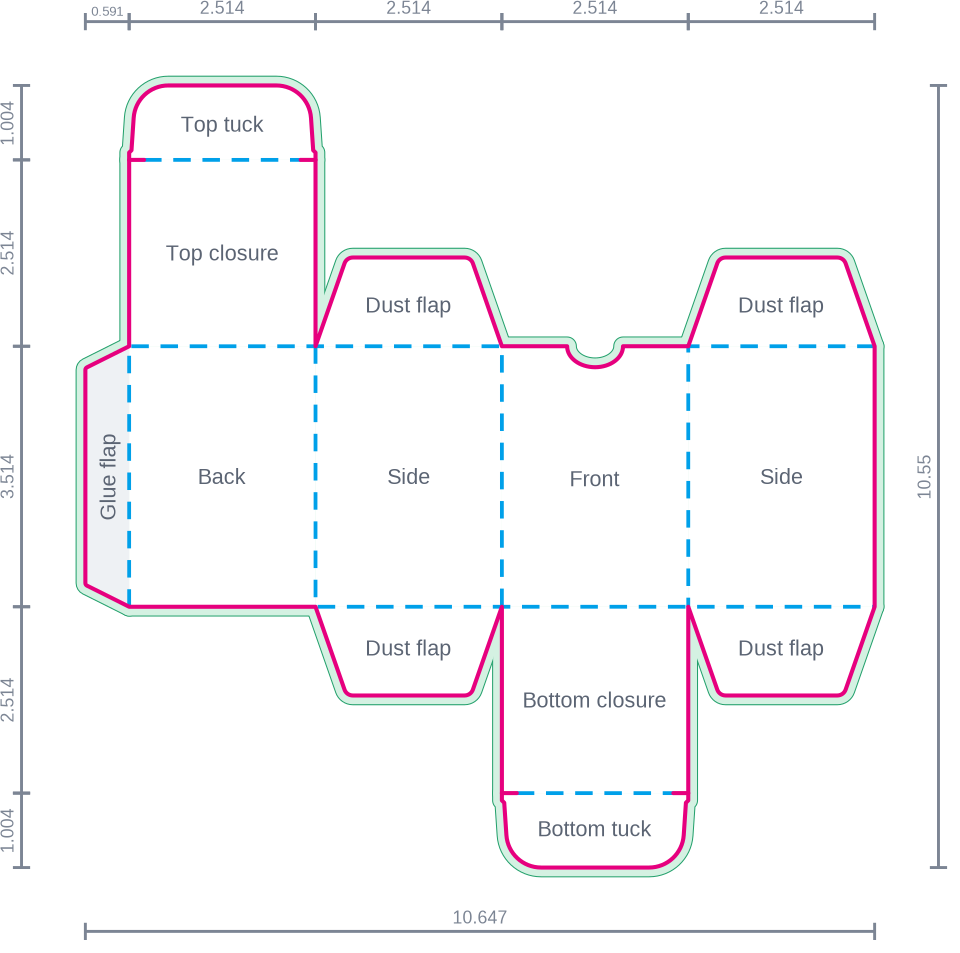
Flat dieline of a 2.5 by 2.5 by 3.5 inch blind box with dimensions
2.5 × 2.5 × 3.5 inThe starting size, every panel named
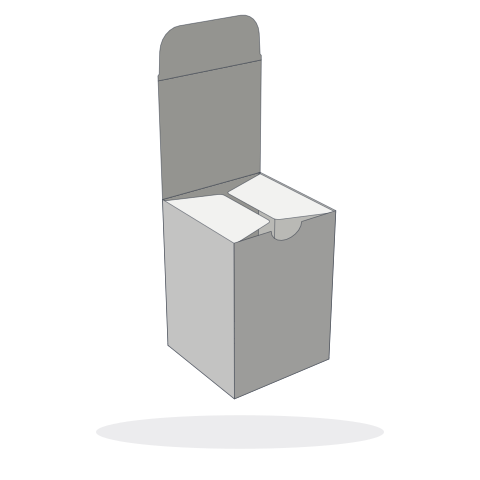
3D preview of a blind box folding from its dieline
3D viewTucks folding shut
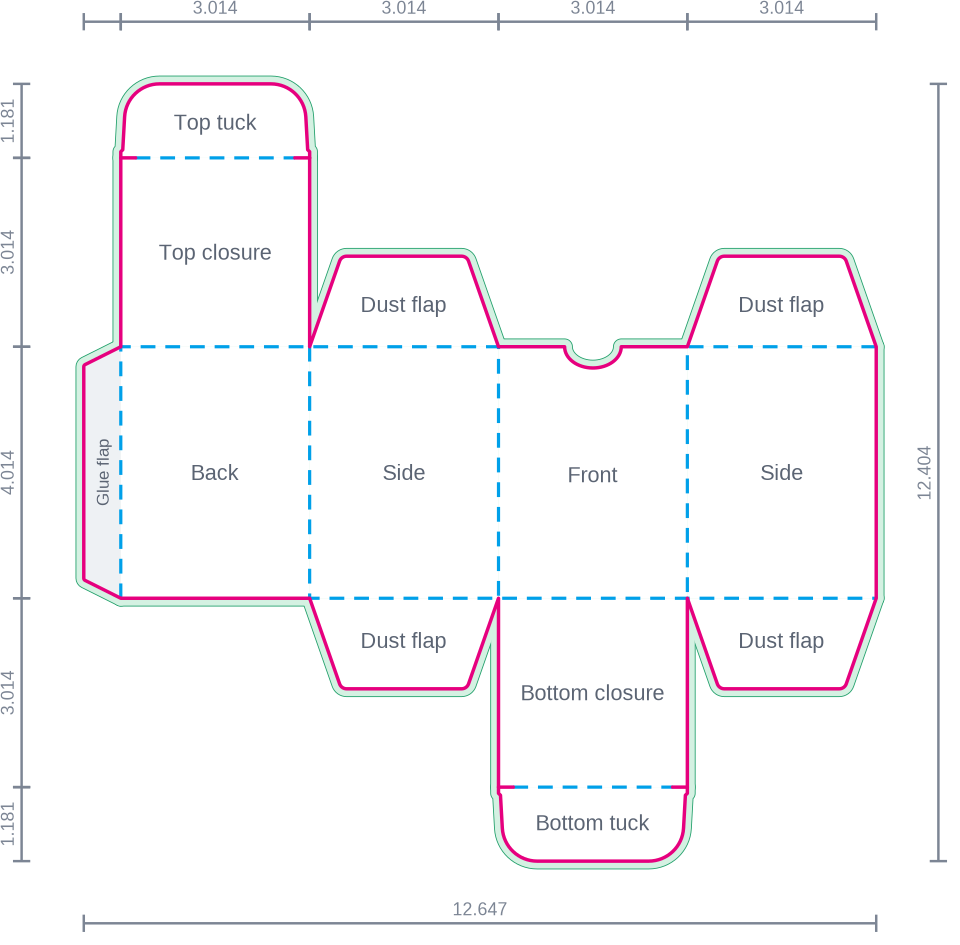
Flat dieline of a 3 by 3 by 4 inch blind box
3 × 3 × 4 inBigger figures, larger than A3

Real output of the tool. Use this example opens that size in the generator above.

How to Make a Blind Box Template

Measure the figure, set the board, download the box.

  1. Measure the figure on its base, with any bag or insert it ships in. Type length, width and height in inches or millimeters, or tap 2 × 2 × 3, 2.5 × 2.5 × 3.5 or 3 × 3 × 4 in.

  2. Start from 14 pt SBS or pick kraft, a heavier SBS or your own caliper. Keep the slit lock on so the tucks stay shut, and set bleed to 1/8 in, 3 mm or none.

  3. Fold the blind box dieline in 3D, read the Checks tab, then download vector PDF, SVG, DXF or PNG. Print a sample at 100% and fold it around the figure.

Small blind box dieline at its flat size

A Blind Box Dieline Built Around the Figure

One small blind box packaging template, drawn for your exact figure and board.

  1. Blind box dieline with panel widths and flap depths dimensioned

    Exact size

    Sized to the figure, not a guess

    Type the inside size and every panel is drawn crease to crease with an allowance for the board caliper. Dimensions and panel names sit on their own layer, and the flat size shows under the preview.

  2. Blind box tucks closing in the 3D view

    Closure

    Tucks that stay shut

    The reverse tuck closes the top toward the back and the bottom toward the front, and the slit lock catches the dust flaps. To keep a box closed until it is opened, glue the tucks or add a seal sticker from the AI sticker generator (AI designs use credits).

  3. Large blind box dieline ready for a check

    Checks

    Warnings before the print run

    The Checks tab flags a board too thick for a small box, a tuck that is too short, dust flaps that nearly touch, a narrow glue flap or a drawing that will not fit Letter or A4. Each warning has a Why? note.

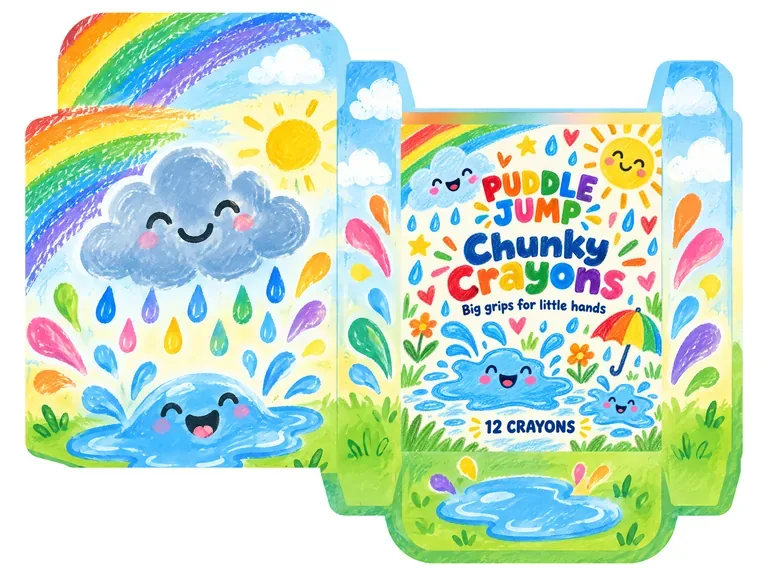
  4. Partner demo: bright cartoon cloud artwork laid out on a flat box dieline

    Artwork

    Series artwork on one die line

    The template is lines only. Place your character art over it in your own program, or open the box designer to design it with AI (AI designs use credits). Pictured: a partner demo made with AI.

Blind Box Packaging Template Tips

Sizing, series, board and printing in four short notes.

Sizing for a figure

Measure the tallest point, the widest point and the depth, with the base, accessories and any bag. Add a few millimeters on each side so the figure slides in without scuffing.

The three chips are common collectible box sizes to start from, not standards.

One size for a whole series

Keep one blind box dieline for every figure in a series: the boxes line up on a shelf, pack the same way and share one cutting die. Only the artwork changes from box to box.

Name the panels in your artwork file the same way the template does (front, back, side, tucks) so the printer can match them.

Board and finish

This blind box packaging template starts at 14 pt SBS, a thin white board that folds crisply at this size. Kraft gives a natural look, and 18 pt suits the 3 × 3 × 4 in box. The Checks tab says when a board is too thick for the panel.

Printing a sample

The 2 × 2 × 3 in box prints on Tabloid or A3, the 2.5 in box on A3 once you hide Dimensions, and the 3 × 3 × 4 in box is larger than A3. For the final run, send the PDF to a printer and let them check it against their board and die.

Who Uses a Blind Box Template

Small studios, artists and anyone with figures to box.

  • Figure and art toy makers

    Boxes for resin, vinyl or 3D printed figures, sized to each sculpt in the series.

  • Illustrators

    Turn a character set into a printable blind box template line, one artwork per box.

  • Events and parties

    Small favor boxes for pins, charms or keychains at a launch, a fan meet or a birthday.

  • Design students

    A packaging project with a real dieline: measure, design, print and fold.

Blind Box Template FAQ

Short answers about size, board and files.

Get Your Free Blind Box Template

Measure the figure, pick the board and download a blind box template as PDF, SVG, DXF or PNG. First download free, nothing uploaded.