Skip to content

Free, in your browser

Free FDA Supplement Facts Label Maker

PackDesignAI is a free supplement facts label maker for dietary supplements: enter your serving and amounts and get the FDA panel in 4 layouts, with order, rounding and % Daily Value per 21 CFR 101.36. Download vector PDF, EPS, SVG or a 300 dpi PNG; your first download is free. No watermark, and nothing leaves your browser.

Supplement Facts label

Panel format

Serving

Use a term for the form of the product, such as tablets, capsules, packets or teaspoonfuls.

Optional when the net quantity already states it.

Leave empty for "Amount Per Serving", or write "Amount Per Capsule" or "Each Tablet Contains".

Used for file names. Not printed on the panel.

Live preview of the Supplement Facts labelSupplement FactsServing Size 1 CapsuleServings Per Container 100Amount% DailyPer CapsuleValueCalories20Total Fat2 g3%*Saturated Fat0.5 g3%*Polyunsaturated Fat1 g†Monounsaturated Fat0.5 g†Vitamin A765 mcg85%Vitamin D21 mcg105%Omega-3 fatty acids0.5 g†* Percent Daily Values are based on a 2,000 caloriediet.† Daily Value not established.Ingredients: Cod liver oil, gelatin, water, andglycerin.
Vector · outlined text · 100% K black

  • Free to design
  • First download free
  • No watermark
  • Runs in your browser

Free to design, no watermark. Everything runs in your browser; your values are never uploaded.

  • 4 Supplement Facts layouts
  • %DV and rounding per 101.36
  • Vector PDF, EPS and SVG
  • First download free, no watermark

Samples From the Supplement Facts Label Generator

Every panel below was drawn by this supplement facts label generator from an invented product. The fish oil panel repeats FDA's own sample label, value for value.

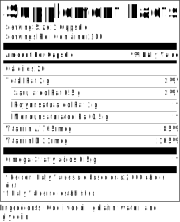
Standard vertical Supplement Facts label for a fish oil capsule
Standard verticalFish oil, as in FDA's sample label
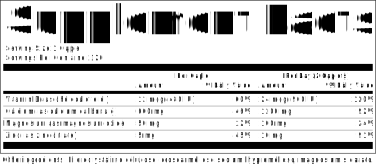
Supplement Facts label with per caplet and per day columns for calcium and vitamin D
Multiple columnsPer caplet and per day
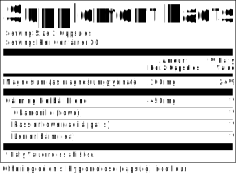
Supplement Facts label with a calming herbal blend of three herbs
Proprietary blendAn herbal blend with its total weight
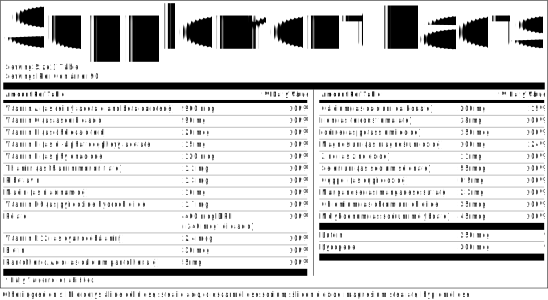
Split Supplement Facts label for a multivitamin with 23 vitamins and minerals
Split displayA multivitamin list split in two
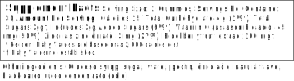
Linear Supplement Facts label for elderberry gummies
LinearElderberry gummies on a small bottle

Real output of the tool. Pick the layout you need in the maker above.

Three Steps From Formula to Print File

How the supplement facts label maker turns a capsule, tablet, powder or gummy formula into a panel.

  1. Choose standard, multiple columns, split or linear, then set the label area of your package: over 40, 12 to 40 or under 12 square inches. That sets the minimum type size every check uses.

  2. Type the serving size and each amount before rounding. Vitamins and minerals take a source such as "as calcium carbonate", herbs and fatty acids get the † symbol, and a proprietary blend takes its total weight.

  3. The Checks tab of the supplement facts label generator names the CFR paragraph behind every warning. Set the width in inches or millimeters, download PDF, EPS, SVG, PNG or JPG, and print a test page at actual size before the run.

Choosing the multiple column Supplement Facts layout

A Supplement Facts Label Creator That Follows 101.36

The rules that set a supplement panel apart from a food label, built into every field of this supplement facts label creator.

  1. Multivitamin Supplement Facts label in FDA order

    Rounding and %DV

    Declared, rounded and ordered for you

    Amounts round by FDA's increments, %DV is a whole percent taken from the amount before rounding, and a declared nutrient such as fat or sodium that rounds to 0% shows "<1%". Vitamins and minerals under 2% of the RDI drop off: the multivitamin sample leaves its 80 mg of potassium out, as 101.36(b)(2)(i) requires.

  2. Proprietary blend with its total weight on a Supplement Facts label

    Herbs and blends

    Ingredients with no Daily Value

    Herbs, amino acids and fatty acids print with a symbol and the "Daily Value not established" footnote. A proprietary blend shows its total weight on one line with its ingredients under it by weight; the weights you type only sort them and never print.

  3. Per caplet and per day columns on a Supplement Facts label

    Layouts

    Per serving, per day or per unit

    A second column multiplies by servings per day or divides by units per serving, each rounded on its own: 12 mcg (480 IU) of vitamin D per caplet becomes 24 mcg (960 IU) per day. Long lists split into two side by side.

  4. Fish oil Supplement Facts label as a vector file

    Print files

    Files your printer will accept

    PDF and EPS come with outlined text and 100% K black; SVG, PNG and JPG at 300 dpi too. The one-click sample redraws FDA's fish oil label, so you can hold this supplement facts generator against the regulation before you enter your formula.

Supplement Facts Rules in Plain English

What to know before you create your Supplement Facts label.

Supplement Facts or Nutrition Facts?

A product sold as a dietary supplement carries Supplement Facts under 21 CFR 101.36; conventional food carries Nutrition Facts under 101.9. The supplement panel may list ingredients with no Daily Value, name the source of a nutrient and the plant part of an herb, and it leaves off nutrients present at zero.

Making a protein bar or a drink sold as food? Use the nutrition label maker instead.

The serving size names the form of the product: capsules, tablets, gummies, scoops or packets.

What goes on the panel, in what order

Serving size and servings per container come first, then the "Amount Per Serving" and "% Daily Value" headings. Calories, fats, carbohydrate and protein follow when present, then vitamins and minerals in FDA's order: calcium and iron after choline, sodium and potassium after chloride. The supplement facts label maker keeps that order for you.

Ingredients without a Daily Value and proprietary blends come last. The capsule shell, fillers and any source not named in the box go in the "Other ingredients" list printed right under it.

Daily Values, rounding and the 2% rule

Percent Daily Value is worked out from the amount before rounding. Total fat, saturated fat, cholesterol, sodium, potassium, total carbohydrate and fiber may use the declared amount instead, and the settings let you pick. Every %DV rounds to a whole percent.

  1. 1Vitamins and minerals under 2% of the RDI are not declared.
  2. 2Folate in mcg DFE, with folic acid in parentheses if you want it.
  3. 3Vitamin D in mcg, with IU added as an option (1 mcg = 40 IU).
  4. 4A declared nutrient such as fat or sodium that rounds to 0% shows "<1%".

Type size, layouts and small packages

Text is at least 8 pt, with 6 pt for headings and footnotes. Packages with 12 to 40 square inches for labeling may go down to 6 pt, and under 12 square inches to 4.5 pt. The supplement facts label creator warns when your width pushes any text below the minimum.

Linear runs the panel as one paragraph on packages with 40 square inches or less. FDA publishes no linear supplement sample, so this layout follows the small package style of food labels; check it against your printer's proof.

Use multiple columns when the directions call for more than one serving a day.

Who Uses This Supplement Facts Label Maker

One supplement facts label maker for a first capsule launch or a full product line.

  • Dropper bottle and carton filmed for an online listing

    New supplement brands

    One panel for the bottle, the carton and the listing photos, ready before the first production run.

  • Designer desk with a print proof and carton samples

    Packaging designers

    A supplement label maker for the panel, then AI supplement packaging design for the rest of the pack.

  • Supplement Facts label with an herbal proprietary blend

    Herbal formulators

    Proprietary blends, plant parts and ingredients with no Daily Value, laid out as 101.36(c) describes.

  • Linear Supplement Facts label for gummies

    Gummies and small bottles

    A linear layout and type minimums down to 4.5 pt for packages under 12 square inches.

Supplement Facts Label Maker FAQ

Straight answers about layouts, rules and files.

Make Your Panel With the Supplement Facts Label Maker

Four layouts, FDA rounding and vector files in one free supplement facts generator: load the fish oil sample, swap in your formula and download your first panel in minutes.