Skip to content

Free Cup Sleeve Template for Coffee Cups

PackDesignAI is a free cup sleeve template maker for coffee cups: tap 8, 12, 16 or 20 oz or type your cup's rim, base and height, and get a curved sleeve that fits the taper, with the glue overlap marked. Download vector PDF, SVG, DXF or PNG; your first download is free. No watermark, nothing uploaded.

Cup sleeve template

Your cup

Common sizes

Starting points only: sizes vary by maker, so measure yours.

in
in
in
top diameterbottom diameterheight

Measure the cup across the outside of the rim and the base, then its height. The sleeve is a band on the wall: set its height and its distance from the rim.

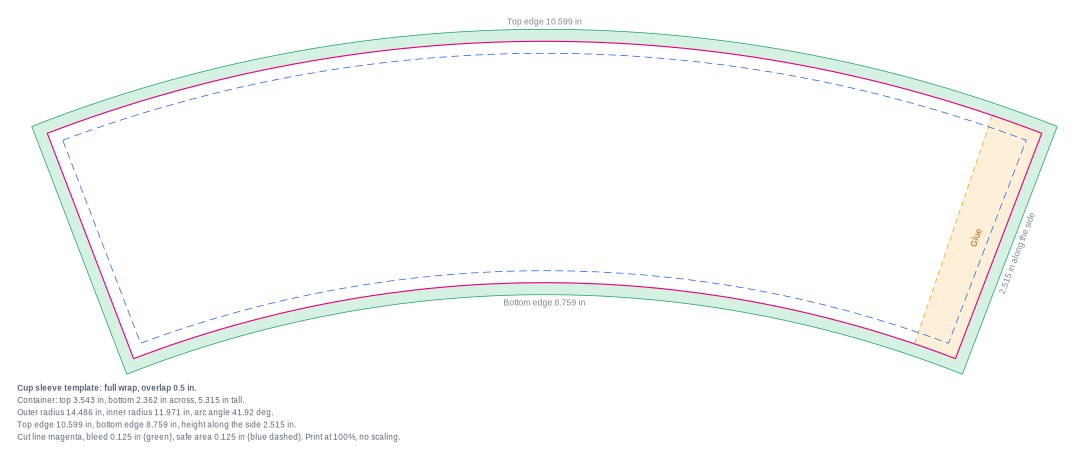
Cup sleeve templateGlueTop edge 10.599 inBottom edge 8.759 in2.515 in along the side
10.364 in x 3.308 in

The math

Outer radius

14.486 in

Inner radius

11.971 in

Arc angle

41.92°

Top edge

10.599 in

Bottom edge

8.759 in

Height along the side

2.515 in

Flat size of one piece

10.36 x 3.31 in

Around at mid height

9.179 in

Arc rise

0.959 in

Vector PDF at 100% on A4, picked to fit.

  • Free to design
  • First download free
  • No watermark
  • Runs in your browser

Print at 100% (Actual size) and check a test print on your container before a full run.

  • First download free
  • 8 to 20 oz cups or any size
  • PDF, SVG, DXF and PNG
  • 3D view on the cup

Cup Sleeve Templates for 8 to 20 oz Cups

Each coffee cup sleeve template below was drawn by the tool: cut line in magenta, bleed in green, the glue overlap shaded at one end.

Curved cup sleeve template for a 16 oz hot cup with a shaded glue overlap
16 oz cupA 2.5 in band with the glue overlap
Curved cup sleeve template for an 8 oz hot cup with a glue overlap
8 oz cupA tighter curve that fits on Letter
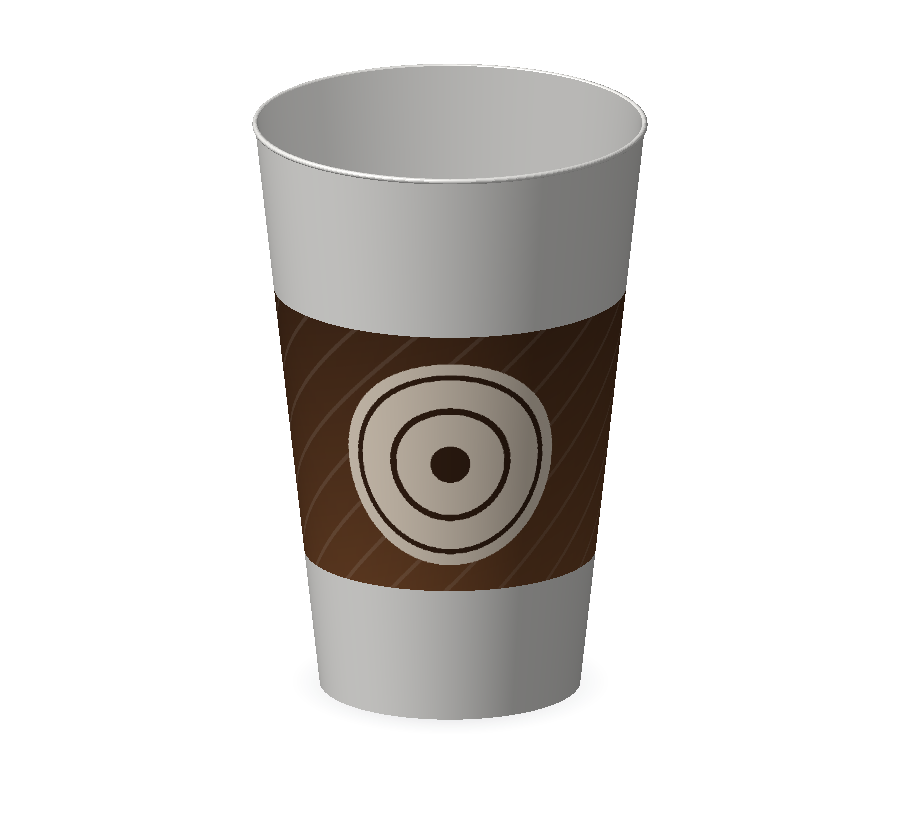
3D preview of a paper cup with a brown patterned sleeve around the middle
On the cupCheck the band height in 3D
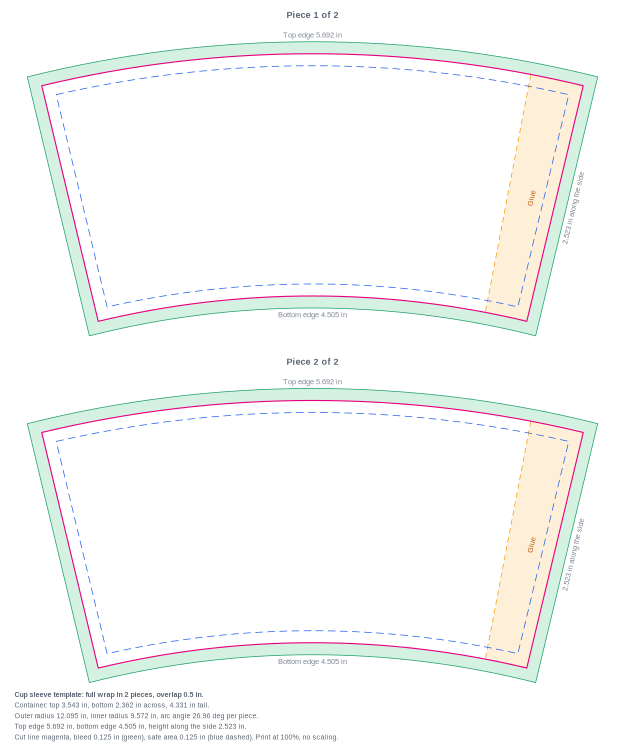
Cup sleeve for a 12 oz cup split into two curved pieces, each with a glue overlap
12 oz, 2 piecesSplit in two to fit Letter paper
Curved cup sleeve template for a 20 oz hot cup with a glue overlap
20 oz cupA tall cup, the same 2.5 in band

Real output of the tool. Use this example opens that cup in the template maker above; cup sizes vary, so measure yours.

Make a Coffee Sleeve Template in 3 Steps

From the cup on your counter to a printable cup sleeve you can cut and glue.

  1. Tap 8, 12, 16 or 20 oz to start, then check the numbers against your own cup: rim and base across the outside, and the height. Cups vary by maker, so a ruler beats a guess.

  2. Choose the sleeve height, the space from the rim and the glue overlap where the end laps over the start. Add bleed and a safe area if you print a design on it.

  3. Look at the sleeve on the cup in 3D, read the Checks tab, then download PDF, SVG, DXF or PNG. Print at 100%, cut on the line and glue the overlap.

A paper cup with a sleeve band, the shape you measure

A Coffee Cup Sleeve Template That Fits the Taper

Worked out from your cup, so this coffee cup sleeve template sits level instead of riding up on one side.

  1. Curved sleeve template with edge lengths printed along the arcs

    Exact fit

    Curved to your cup, not a guess

    A hot cup is wider at the rim than at the base, so a cup sleeve template that fits it is an arc. The template comes from your rim, base and height, and The math lists the radii, the arc angle and both edge lengths, ready to copy.

  2. Curved cup sleeve template for an 8 oz hot cup with a glue overlap

    Glue overlap

    The overlap is the glue area

    The overlap is shaded and marked Glue, 1/2 in by default and yours to change. There is no separate die cut tab: you glue the end over the start, and a small overlap also hides small measuring errors.

  3. Patterned sleeve artwork on a cup in the 3D preview

    Artwork and 3D

    Your design on the cup in 3D

    Upload a PNG, JPG, WebP or SVG up to 40 MB and it is bent onto the arc, with the seam where you want it. Turn the cup on a white, kraft or black body. The view is a close preview, not a photo: no lid, and the overlap is not drawn.

  4. Two piece cup sleeve template laid out on one page

    Print files

    Print at home or send it to a shop

    Vector PDF at 100% on the smallest of Letter, A4, Tabloid and A3 that fits, or the sheet you pick, with a CutContour cut line and every part on its own layer. SVG comes in millimeters, DXF holds the cut line, and PNG goes up to 300 dpi.

How to Size a Printable Cup Sleeve

Four short notes on cups, sheets and artwork before you print.

Measuring a coffee cup

Use a ruler or calipers on the cup you will serve in.

  1. 1Rim: across the outside at the top of the cup.
  2. 2Base: across the outside at the bottom.
  3. 3Height: straight up beside the cup, or along the side with a tape.
  4. 4Sleeve height and space from the rim decide where the band sits; clear the space and it centers itself.

8, 12, 16 and 20 oz are common sizes, not any maker's spec. Measure the cups you actually use and print one test sleeve.

Which sheet each coffee sleeve template needs

The chips start with a 2.5 in band a little below the middle of the cup. On the 16 oz cup the sleeve lies flat at about 10.4 x 3.3 in, and the PDF picks A4 for it.

The 8 oz sleeve lands on Letter. For any cup, the PDF uses the smallest sheet that fits at 100% and the export note names it; split a sleeve into 2 pieces to bring it down to Letter.

One piece or several

A full sleeve can be split into 2 to 4 equal pieces that each overlap the next. That helps when the sheet is small or the arc is steep, like the 12 oz sleeve in two pieces above.

When the pieces do not fit on one page together, the PDF puts each on its own page.

Designing the sleeve

Keep text inside the safe area and run background color into the bleed. The glued end covers a strip of the start, so leave that strip plain.

The artwork guide (SVG) gives the flat size and about the pixels you need at 300 dpi. Artwork is embedded as an RGB image, so ask your printer about color for a press run.

Who Uses This Cup Sleeve Template

From a cafe launch to a craft table.

  • Coffee shops and cafes

    Branded sleeves for a launch, a seasonal drink or a short run, sized to your own cups.

  • Events and weddings

    Sleeves with names, dates or a logo for a party, printed at home and glued by hand.

  • Designers

    An exact coffee cup sleeve template in millimeters with layers, ready for your design program.

  • Teachers and crafters

    A printable cup sleeve as a cut and glue project for a class or a gift.

Cup Sleeve Template FAQ

Quick answers about sizes, gluing and files.

Get Your Free Cup Sleeve Template

Pick a cup size or type your own, check it in 3D and download a cup sleeve template as PDF, SVG, DXF or PNG. Free to design, first download free, nothing uploaded.