Skip to content

Free, in your browser

Free Dieline Generator for 18 Styles

PackDesignAI is a free dieline generator for folding cartons, shipping boxes, bags, pouches and envelopes: enter the inside size and board, get a dieline at 1:1. 18 styles, 18 board presets, built-in checks, a 3D fold preview, vector PDF with CutContour and Crease layers, SVG, DXF and PNG. Free to design without an account, no watermark, nothing uploaded.

Dieline generator

Inside dimensions

mm

Front, left to right

mm

Side, front to back

mm

Bottom to top

Measure your product, then add 1 to 3 mm (about 1/16 in) on each side so it slides in.

Product presets

Fills length, width and height.

CutCreaseBleed
Flat dieline previewFrontSideSideBackGlue flapDust flapDust flapTop closureTop tuckDust flapDust flapBottom closureBottom tuck1560.530.560.530.5196.812.230.5120.530.512.2205.8

Flat size 196.8 x 205.8 mm · 18pt SBS · Caliper 0.46 mm

Vector PDF at 1:1, page 244.3 x 253.2 mm. Cut and crease are spot colors (CutContour, Crease) on their own layers.

Design this box with AISaved in this browser
  • First download free
  • Runs in your browser
  • Nothing uploaded
  • No watermark

Print and fold a sample before production. Board, printing and folding all vary.

  • 18 dieline styles
  • Built-in checks
  • PDF, SVG and DXF at 1:1
  • First download free, no watermark

Box Dieline Samples by Style

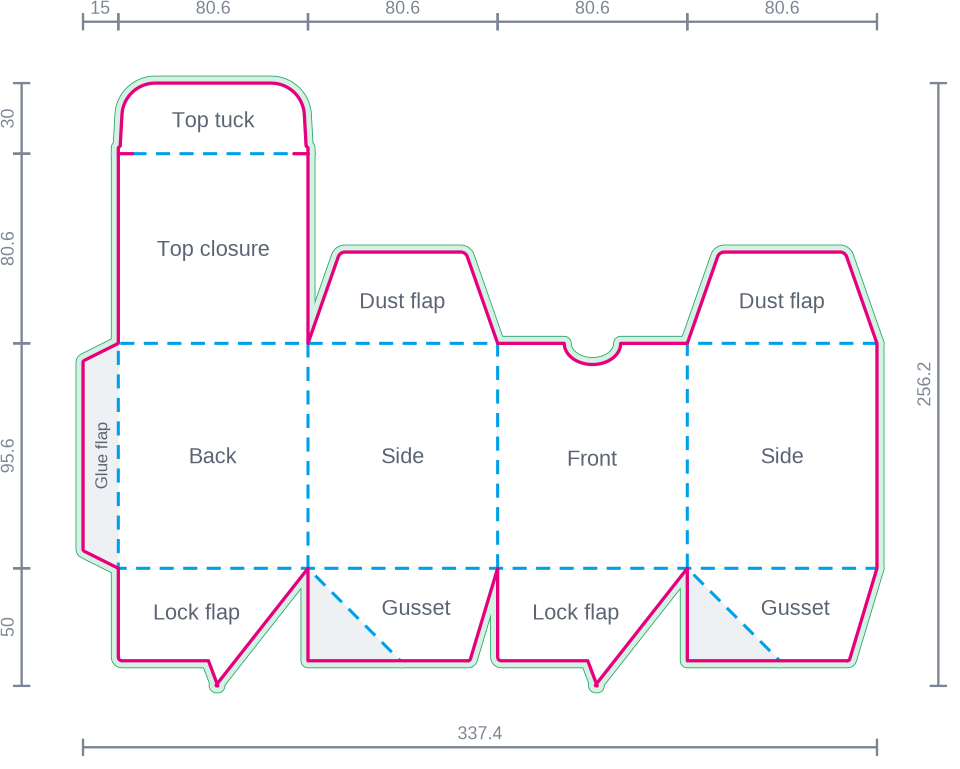
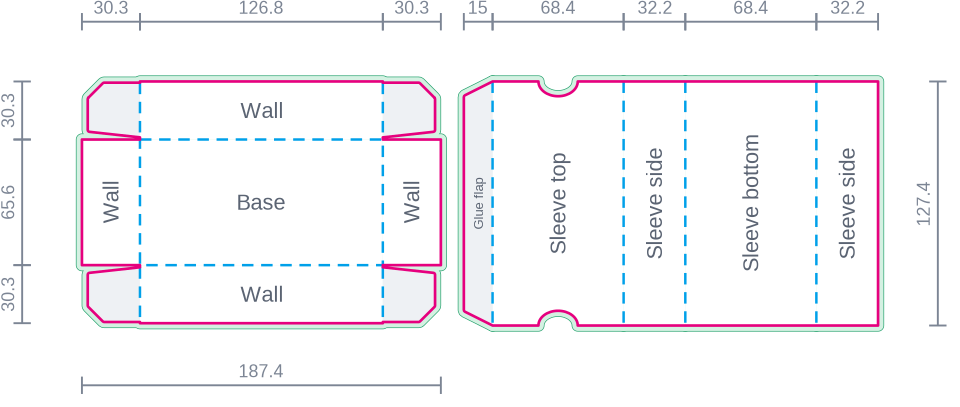
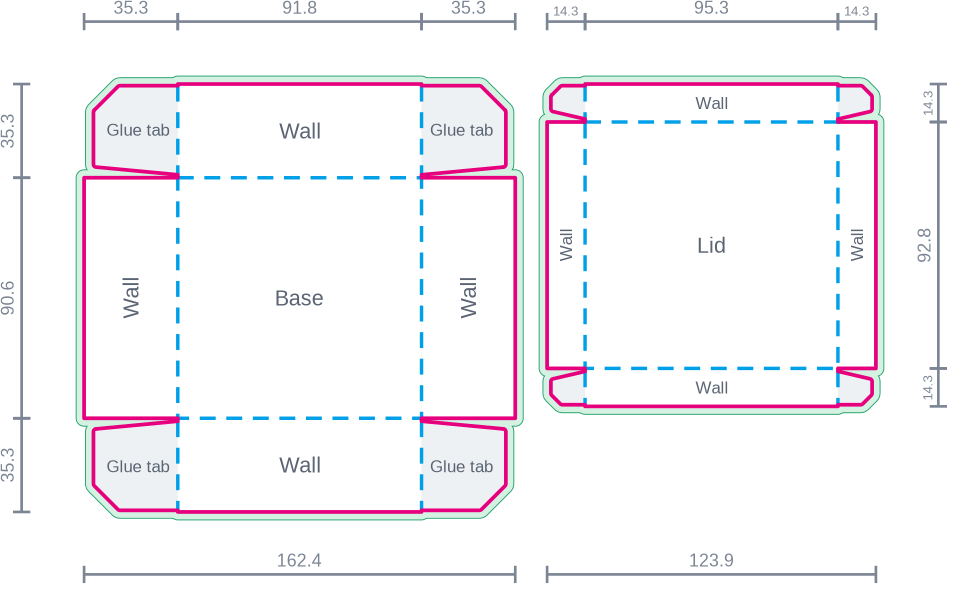
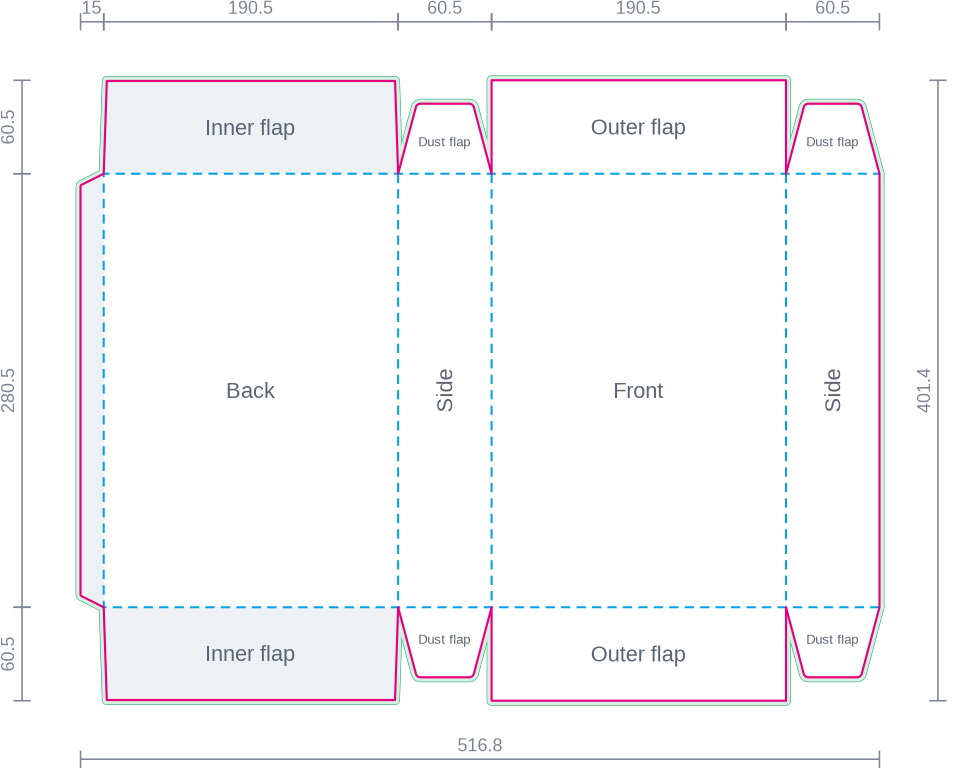
One real product size per style, drawn by this dieline maker: cut lines solid, creases dashed, bleed in green, every panel named and measured in mm.

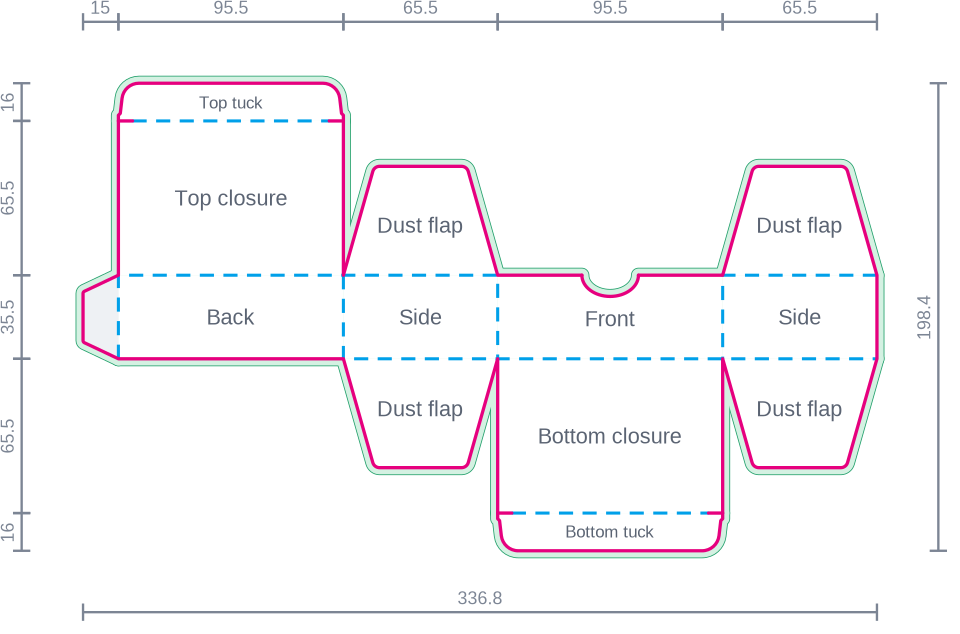
Reverse tuck end dieline for a soap bar, inside 95 × 65 × 35 mm
Reverse tuck endSoap bar, 95 × 65 × 35 mm, 18 pt kraft
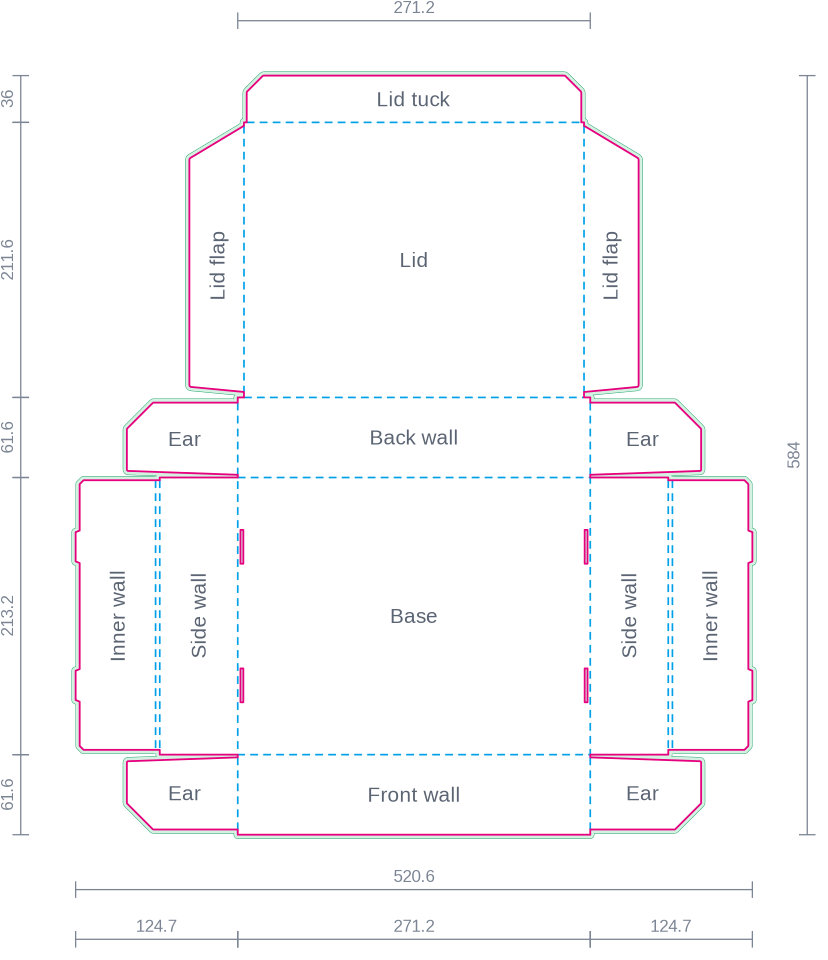
Mailer box dieline for a folded T-shirt, inside 260 × 210 × 60 mm
Mailer boxT-shirt mailer based on FEFCO 0427, E-flute
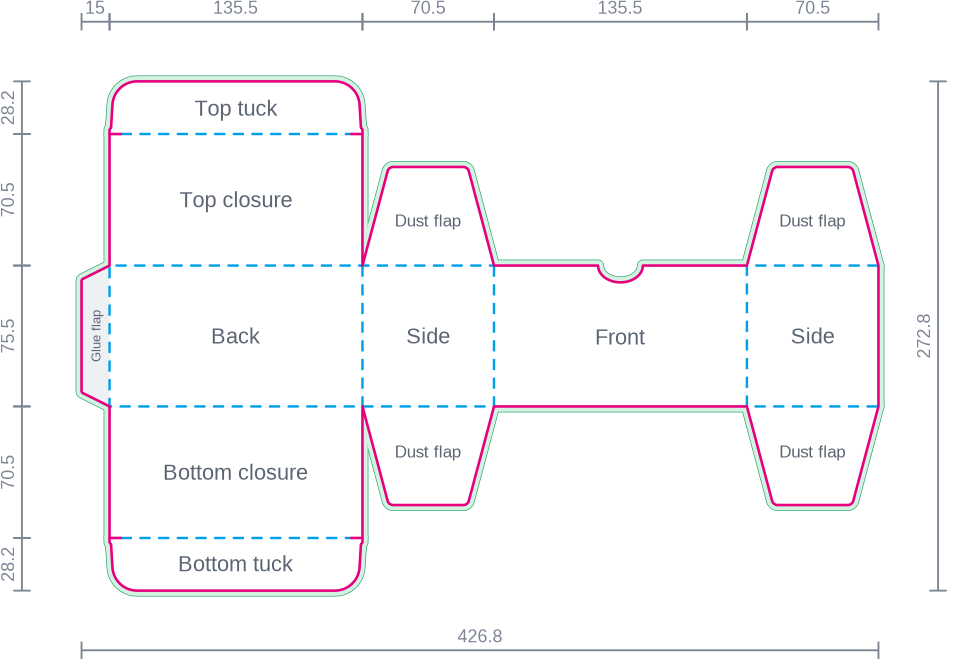
Straight tuck end dieline for a tea box, inside 135 × 70 × 75 mm
Straight tuck endTea box, 135 × 70 × 75 mm, 18 pt kraft
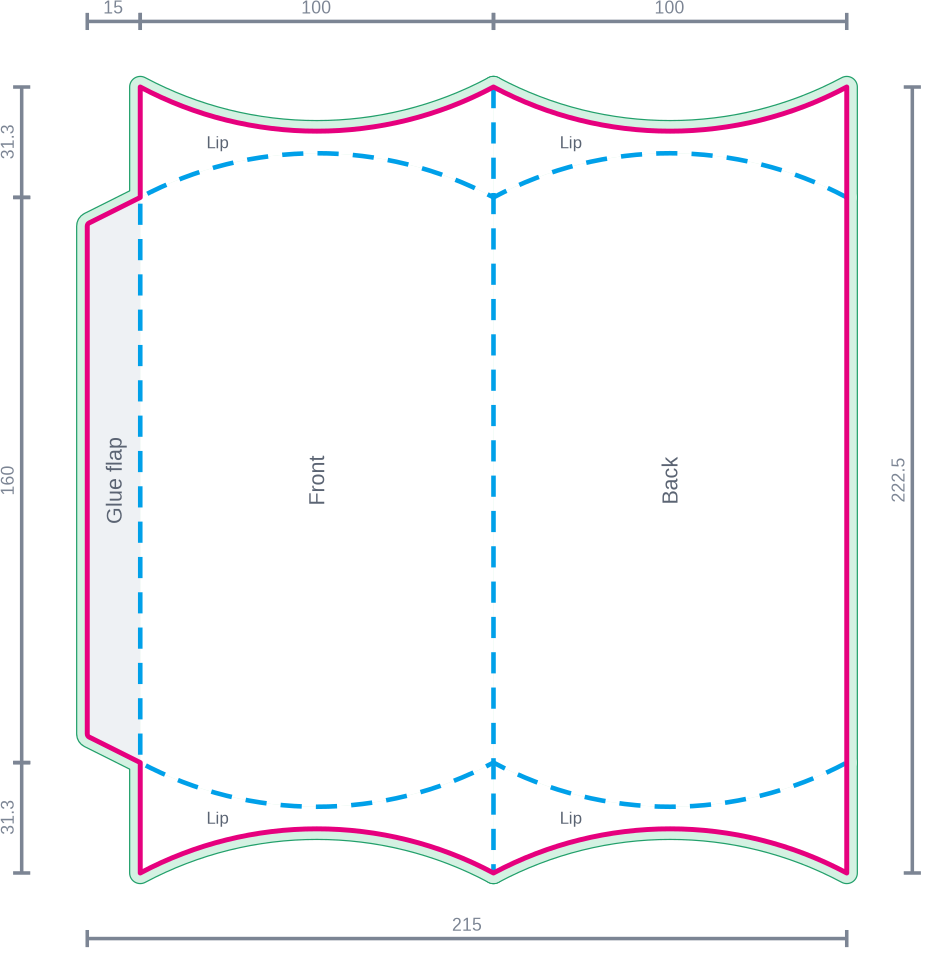
Pillow box dieline for a gift card, inside 160 × 100 × 25 mm
Pillow boxGift card pillow, 160 × 100 × 25 mm
Tuck top auto-lock bottom dieline for a candle jar, inside 80 × 80 × 95 mm
Auto-lock bottomCandle jar, 80 × 80 × 95 mm, 24 pt SBS
Sleeve and tray dieline for eight truffles, inside 125 × 65 × 30 mm
Sleeve and trayMatchbox style for 8 truffles
Lid and base dieline for a jewelry box, inside 90 × 90 × 35 mm
Lid and baseJewelry box, 90 × 90 × 35 mm
Seal end carton dieline for cereal, inside 190 × 60 × 280 mm
Seal end cartonCereal carton with glued ends
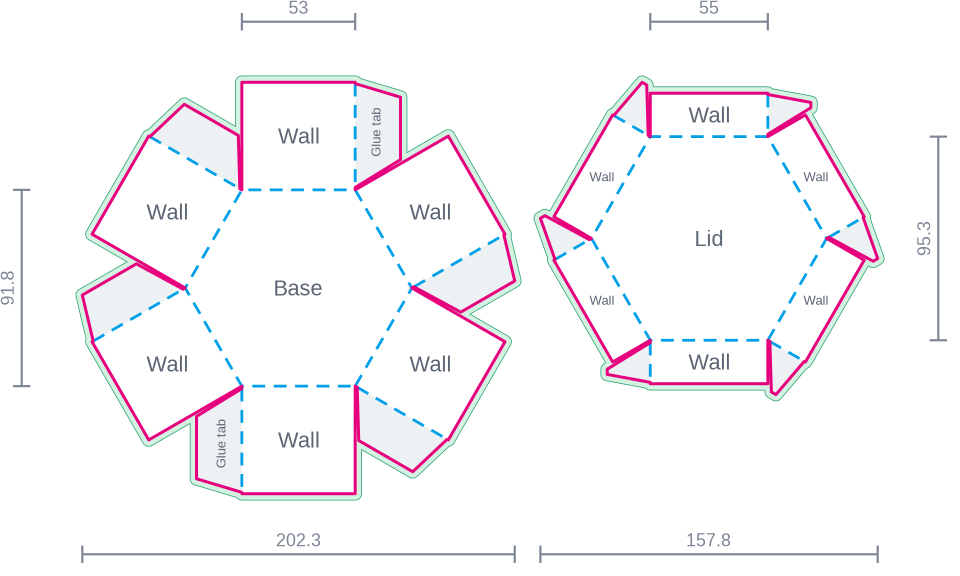
Hexagon box dieline with a slide-on lid, 90 mm across flats and 50 mm high
Hexagon boxGift box, 90 mm across flats, slide-on lid
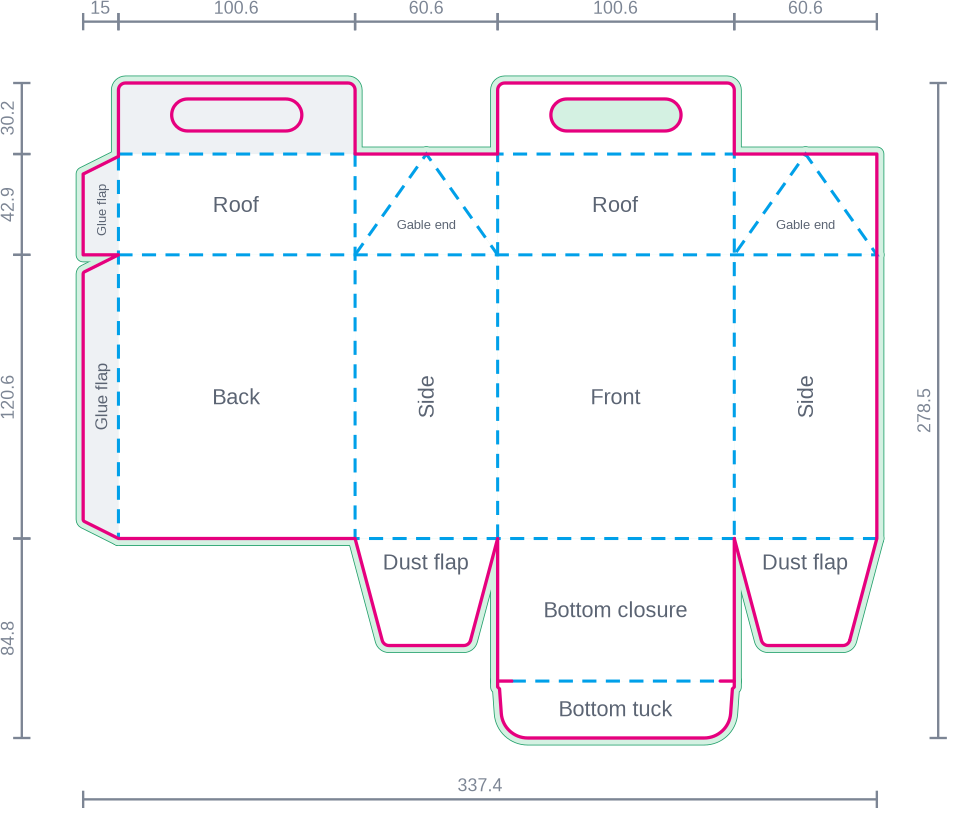
Gable box dieline with a handle for party favors, inside 100 × 60 × 120 mm
Gable boxParty favor box with a carry handle
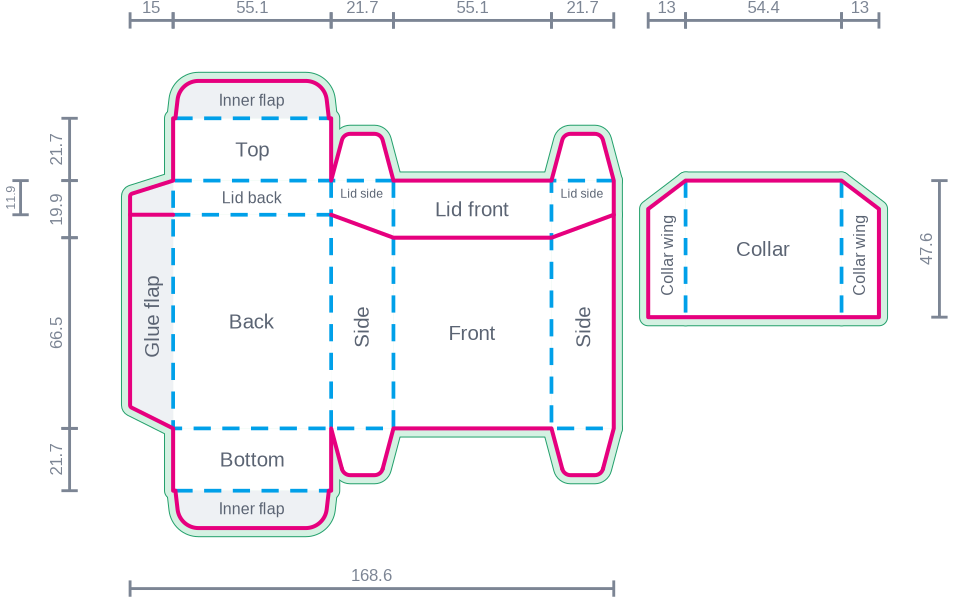
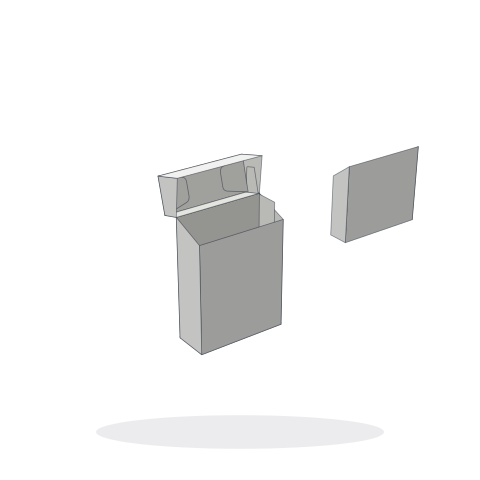
Flip-top box dieline with an inner collar, inside 54 × 21 × 86 mm
Flip-top boxFlip-top pack with inner collar, ECMA F60.12 style
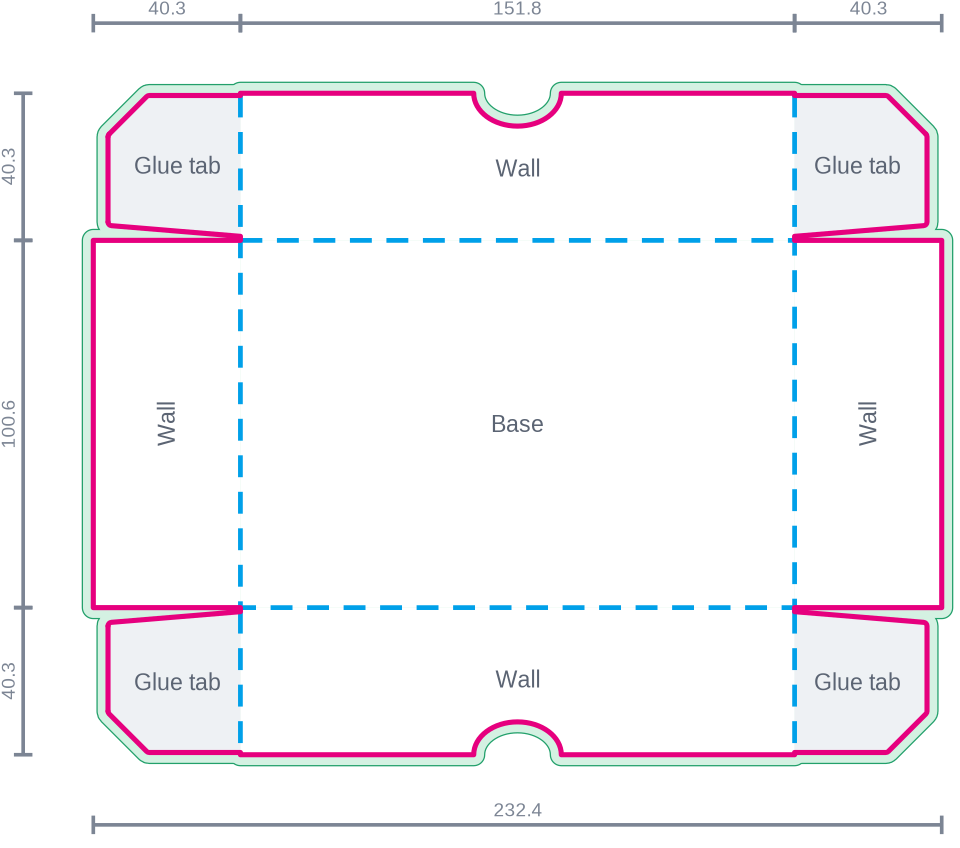
Open tray dieline for bakery items, inside 150 × 100 × 40 mm
Open trayBakery tray, 150 × 100 × 40 mm
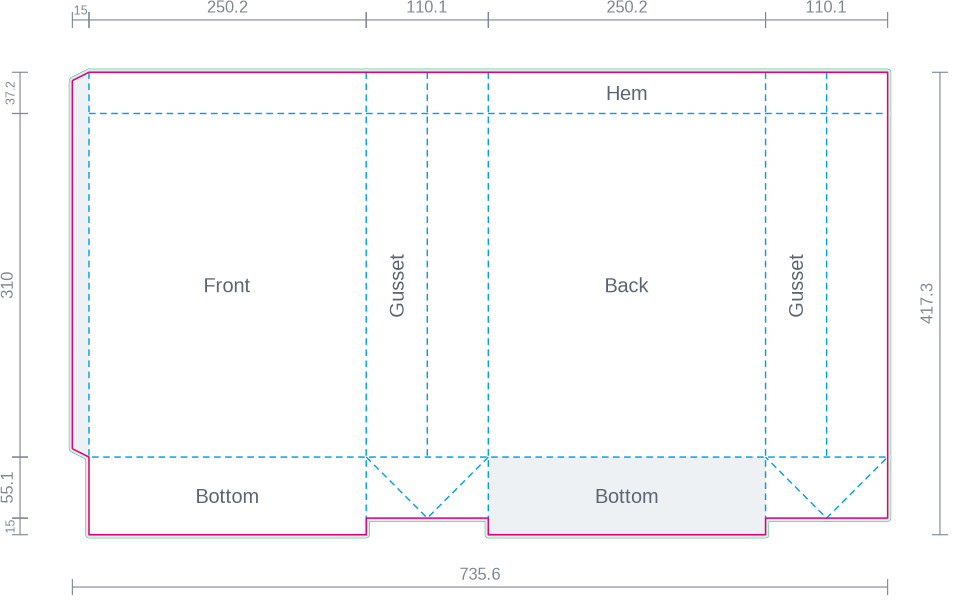
Flat-bottom paper bag dieline, 250 mm wide with a 110 mm gusset
Paper bagFlat-bottom shopping bag in kraft paper
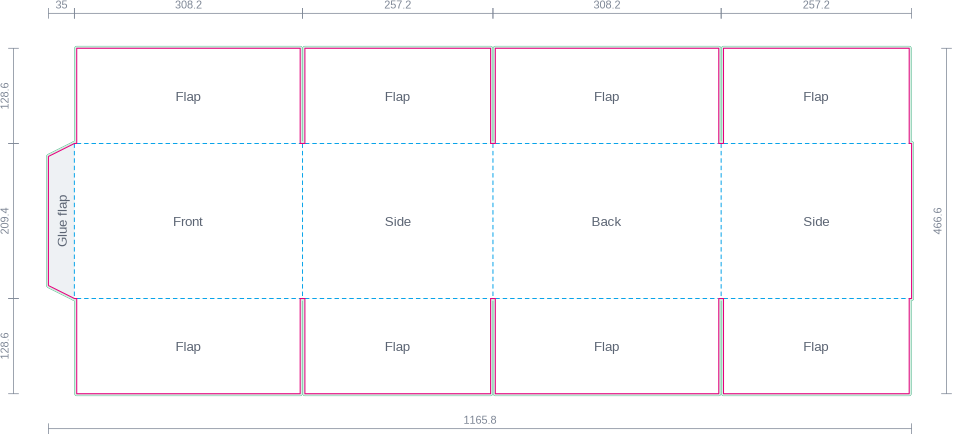
Shipping carton dieline, inside 305 × 254 × 203 mm
Shipping carton12 × 10 × 8 in RSC based on FEFCO 0201

Real output of the dieline generator, shown reduced. Pick a card to load its style, size and board into the tool, then type your own size.

How to Make a Box Dieline in 3 Steps

From a product on your desk to a packaging dieline your printer can cut.

  1. Choose one of 18 structures for your dieline, from tuck end cartons and rigid boxes to a paper bag, a chip bag pouch or an envelope, or tap a preset like soap bar, candle jar or T-shirt mailer to fill in the size and see the style it usually takes.

  2. Type the inside length, width and height in mm or inches (2 1/8 works) and pick the board. The caliper sets every fold allowance, and the flaps, window, notch and bleed are yours to adjust.

  3. Clear the red checks, fold the box in 3D, then download the packaging dieline as a vector PDF, SVG, DXF or PNG. Print it at 100%, cut it out and fold a sample before you order.

Box style

18 styles

Reverse tuck endECMA A20.20.03.01

A Packaging Dieline Your Printer Can Use

The dieline generator does the measuring a template cannot: every line is drawn for your size, your board and your printer.

  1. Shipping carton dieline drawn for B-flute board
    B-fluteInside 12 × 10 × 8 inGlue joint for corrugated

    Board and caliper

    Fold allowances from the board you use

    Pick 14 to 24 pt SBS, 18 pt kraft, kraft paper for bags, F, E, B or C flute, EB or BC double wall, or measure your own caliper. Panels are drawn crease to crease with allowances for that thickness, so a box dieline in B-flute is not the same drawing as one in 18 pt board.

  2. Lid and base dieline with cut, crease and bleed lines
    CutContourCreaseBleedLabels

    Print files

    Spot colors and layers, at 1:1

    The PDF of your packaging dieline puts cut and crease in CutContour and Crease spot colors on their own layers, on a page that fits the dieline or on Letter, A4, Tabloid or A3. The SVG keeps cut, crease, bleed, dimensions and labels apart, and DXF R12 brings CUT and CREASE layers to CAD.

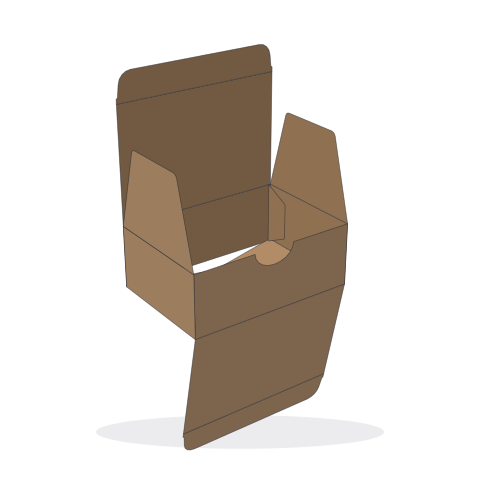
    • Reverse tuck end half folded in 3D50%

      Reverse tuck end

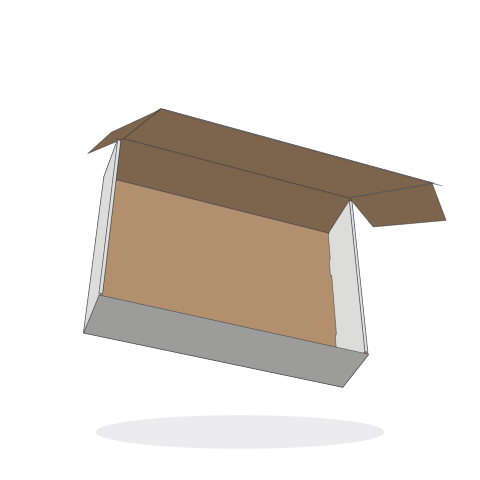
    • Mailer box 80% folded in 3D80%

      Mailer box

    • Flip-top box with its lid open, fully folded in 3D100%

      Flip-top box

    Fold 80%

    3D fold

    Fold it on screen before you cut

    Drag the slider or press play to watch the flat dieline fold on its creases, then turn the box to look inside. The preview covers 13 of the 18 styles; the pillow box, gable box, paper bag, chip bag pouch and rigid box stay flat, and it does not draw board thickness or artwork.

  3. Checks

    1 to look at
    • Glue flap 15 mm

    • Dust flaps clear each other

    • Tuck flap shorter than recommendedWhy?

      Under about 16 mm the tuck can pop out. A tuck of a third to half the box depth holds better.

    • Board suits this size

    Live checks

    Built-in checks with a reason for each

    Tucks that collide, dust flaps that overlap, a glue flap too narrow for the board, a window too close to a crease: each check says what is wrong and why, so this dieline maker catches the mistakes a fixed dieline template never sees.

Packaging Dieline Basics

The lines, the sizes and the styles, in plain words.

What a dieline shows

A dieline is the flat outline of a box before it is folded. Solid lines are cut, dashed lines are creased, and the bleed shows how far artwork must run past the cut. Panel names tell the designer which face is the front.

Print shops read the cut and crease layers to make the cutting die or drive a cutting table, so they ask for them as named spot colors. Here they are CutContour and Crease, set to overprint so they never knock out your artwork.

New to the term? Read what is a dieline for the full walkthrough.

Inside, outside or crease size?

This dieline generator asks for inside dimensions, the space your product needs. Measure the product and add 1 to 3 mm (about 1/16 in) on each side so it slides in.

Outside dimensions grow with the board: thicker board, bigger box. That is why the same inside size gives a different box dieline for 18 pt board and for E-flute.

  1. 1Length: the front, left to right.
  2. 2Width: the side, front to back.
  3. 3Height: bottom to top.

Which box style to choose

Tuck end cartons suit light retail products: the straight tuck end keeps the front clean, the reverse tuck end is the classic retail box dieline. An auto-lock bottom carries more weight. Mailers and shipping cartons need corrugated board.

For gifts, a lid and base, a sleeve and tray (the matchbox structure) or a hexagon box with a slide-on lid feels more special, and a pillow box suits light, flat items. A seal end carton with glued ends suits cereal and dry food, and an open tray is the base of the lid and base box on its own.

A gable box carries a handle on top, a flip-top pack has a hinged lid and inner collar, and the flat-bottom paper bag comes without handle holes. Most styles are based on an ECMA or FEFCO reference, such as ECMA A20.20.03.01 for the reverse tuck end.

Want one shape ready to go? The gable box template, hexagon box template and paper bag template pages open the generator on that style.

Sending the dieline to your printer

Send the vector PDF at 1:1. Put your artwork on a layer under the dieline, run it out to the bleed (3 mm or 1/8 in) and keep text clear of creases. The PDF holds lines and spot colors only, so the artwork file stays yours.

Ask your printer about board grain, sheet layout and their own allowances, and fold a printed sample first: this is a fast starting point, not a structural engineering tool.

Need art for the panels? Open the box designer from the "Design this box with AI" link under the preview.

Who Uses This Dieline Generator

Anyone who needs a box dieline that fits before the artwork starts.

  • Small brands and makers

    Print a test box on Letter or A4 and fold it around the product, then add a code from the UPC barcode generator and a panel from the nutrition label maker.

  • Packaging designers

    Start the artwork on a layered packaging dieline at the exact size, and show the client a render in the mockup generator.

  • Crafters with cutting machines

    Use the SVG as a dieline template for a cutting machine: it is real size, with cut and crease lines on separate layers, so you can send creases to a score tool where your software has one.

  • Printers and sample makers

    Take the DXF in mm with CUT and CREASE layers into CAD or onto a sample cutting table for a quick prototype.

Dieline Generator FAQ

Straight answers about styles, sizes and files.

Make Your Box With the Dieline Generator

Pick a style, type the inside size and download a print-ready box dieline in minutes. First download free, nothing uploaded.