What Is a Dieline in Packaging?
A dieline is the flat, to scale outline of a package that shows where the board is cut, folded and glued, with a bleed for the artwork around it; printers make the cutting die from it. What is a dieline made of? Below, line by line, with real files from our free generator.
By the PackDesignAI team8 min read
- Cut, crease, bleed, glue
- ECMA and FEFCO styles
- Real files, not mockups
- Free generator, first download free
In this guide6
What Is a Dieline? The Short Answer
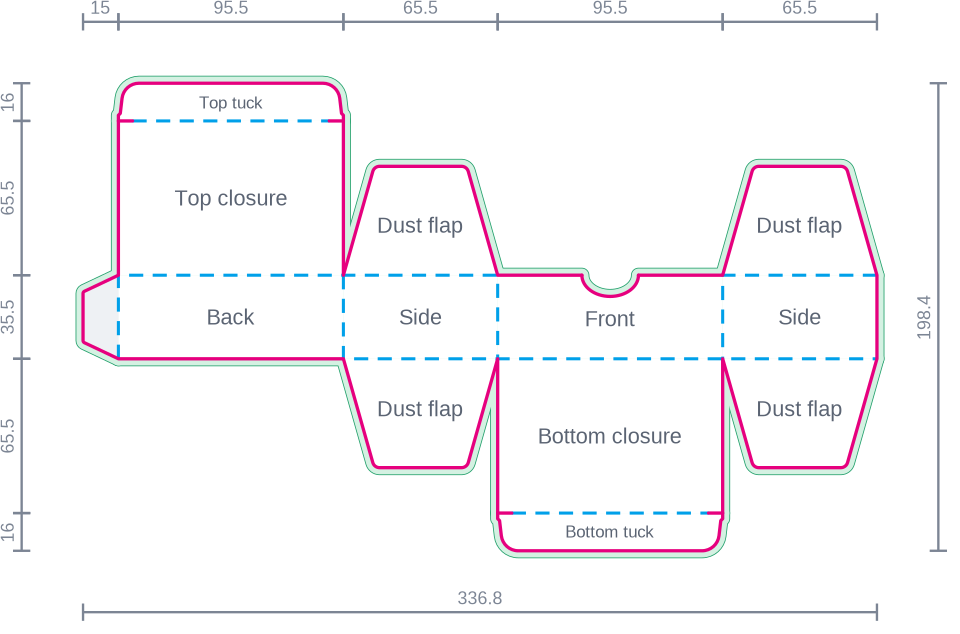
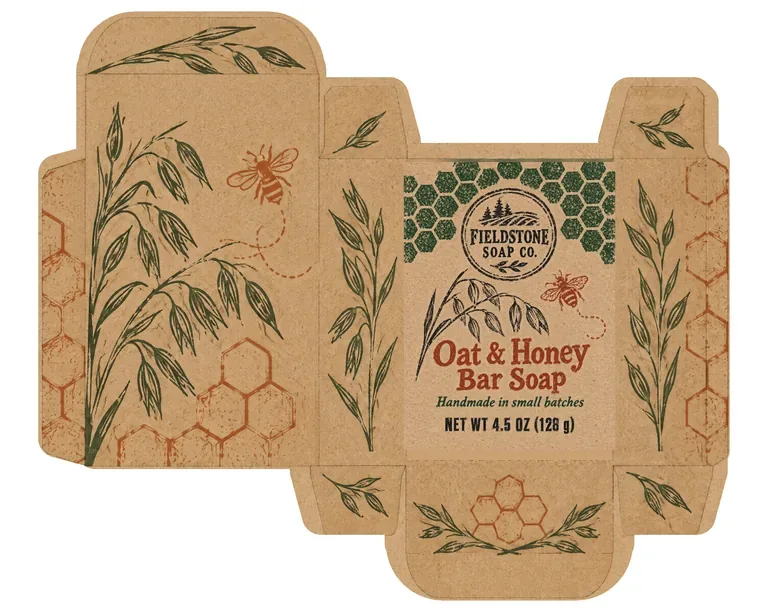
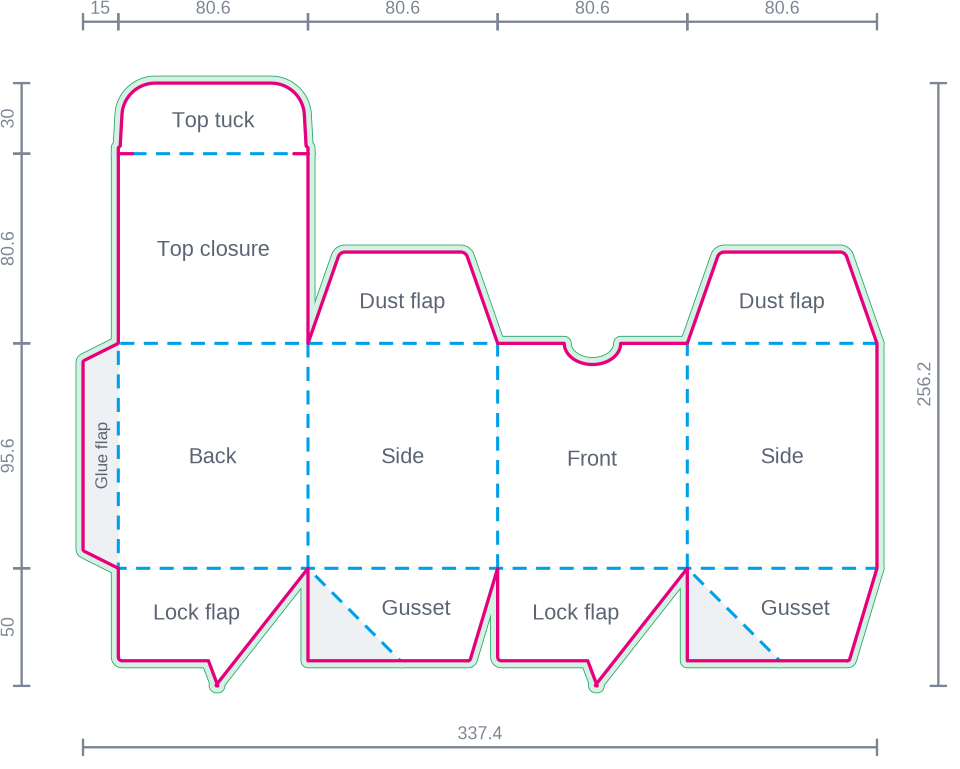
The simple dieline definition: a dieline in packaging is the blueprint of a box, bag or label laid out flat. It shows the outer shape to cut, the lines to fold, the flaps to glue and the area the printed art must cover. Designers place their artwork on it, and the printer turns its cut and crease lines into a steel rule die that stamps the shape out of each sheet.
Short runs often skip the steel die and cut on a digital cutting table from the same file. Either way, the dieline meaning stays the same: where the knife goes, where the fold goes and how far the ink must run. The die line is the drawing, not the artwork on top of it.
Die Line Types: Cut, Crease, Bleed and Glue
Every die line tells the factory to do one thing. Learn these five and you can read any packaging file:
| Line | What it means | In our files |
|---|---|---|
| Cut | The knife cuts through the board here. | Solid magenta, spot color CutContour |
| Crease (fold) | A groove pressed into the board so it folds cleanly. | Dashed cyan, spot color Crease |
| Bleed | Artwork runs past the cut so no white edge shows if the cut shifts. | Green band, 3 mm or 1/8 in |
| Glue area | Where a flap is glued to the panel next to it. | Light grey panel labeled Glue flap |
| Dimensions | Panel sizes for checking; never printed. | Grey numbers on their own layer |
Many dielines also mark a safe area inside the cut, a margin where text and logos should stay; 1/8 in (3 mm) inside every cut and fold is a common choice. Perforations and partial cuts get their own line styles, so check how your printer wants them drawn.
Dieline Meaning, Panel by Panel
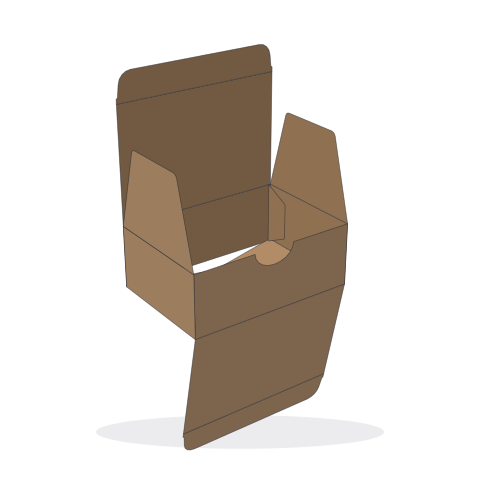
The dieline meaning gets clearer once you know the parts. Every panel and flap on a carton has a name, and the names tell you which way the art must face. These come from a tuck end carton like the soap box above:
- Front, back and sides: the four walls you see on the shelf. The front carries the brand; the back often holds the barcode and the required text.
- Top and bottom closures: the panels that close each end, each with a tuck flap that slides inside.
- Dust flaps: small side flaps under each closure that keep dust out and square up the end.
- Glue flap: a narrow strip on one wall, glued to the opposite edge to form the tube.
- Locks: slits, tabs and auto-lock bottoms that hold the box shut without extra glue.
Common Box Styles and Their Codes
Box makers name each die line structure with a catalog code, so a designer and a factory mean the same box. Folding cartons use ECMA codes from the European Carton Makers Association; corrugated boxes use FEFCO codes from the European federation of corrugated board makers.
| Style | Code | Typical use |
|---|---|---|
| Reverse tuck end | ECMA A20.20.03.01 | Cosmetics, soap and small retail cartons |
| Straight tuck end | ECMA A20.20.01.01 | Tea and gift cartons |
| Tuck top, auto-lock bottom | ECMA A60 group | Heavier items such as candles and jars |
| Mailer (roll end tuck front) | FEFCO 0427 | E-commerce and subscription boxes |
| Regular slotted container | FEFCO 0201 | Shipping cartons |
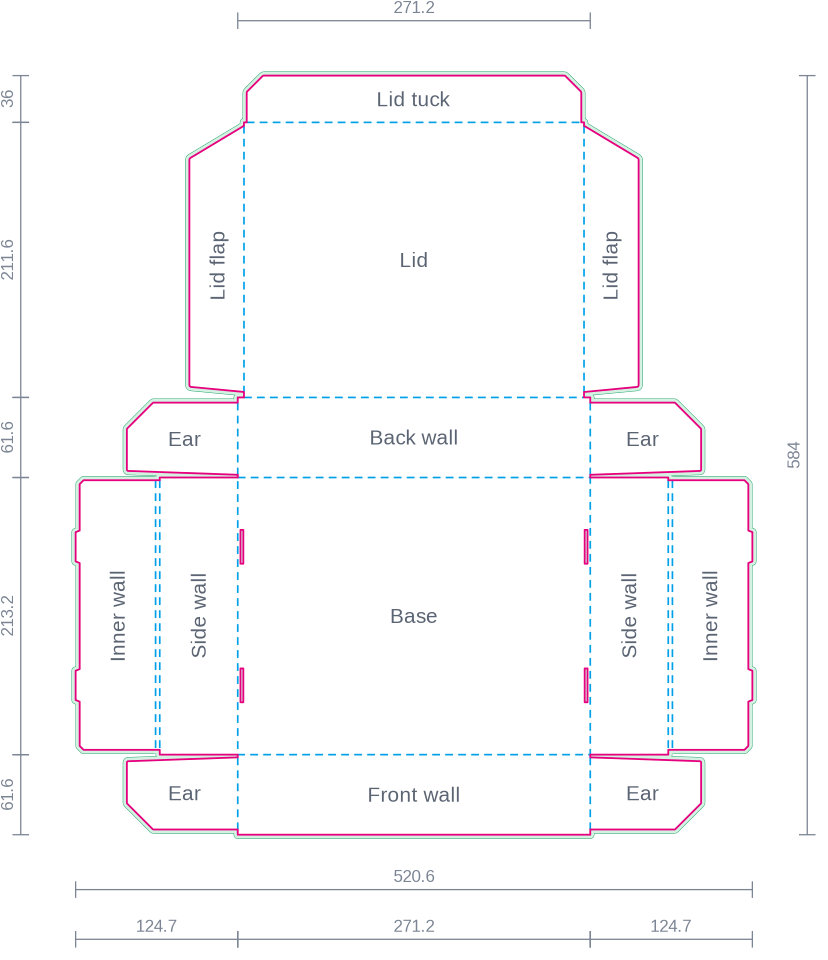
The free dieline generator covers 18 styles, from tuck end cartons and mailers to pillow boxes, gable boxes, paper bags, chip bag pouches and envelopes, and sets the fold allowances from the board you pick.
Die Line File Formats Printers Accept
A die line has to stay vector and at 100% scale, or the die will not match the art. These are the formats you will meet:
| Format | Good for |
|---|---|
| The usual handoff to a printer: vector, 1:1, with cut and crease as spot colors on layers. | |
| SVG | Editing in a vector app; keeps layers and real millimeter sizes. |
| DXF | CAD software and cutting tables; cut and crease on separate layers. |
| AI or EPS | Asked for by some printers; open the PDF or SVG in a vector app and save it in that format. |
| PNG | Previews and mockups only; a raster image cannot drive a cutter. |
Draw a dieline to your size
Type the inside length, width and height, pick the style and board, and download a 1:1 file with cut and crease lines on their own layers. The 3D fold preview shows the box before you print.
- 18 box, bag, pouch and envelope styles
- PDF, SVG, DXF and PNG
- Bleed of 3 mm or 1/8 in
- First download free
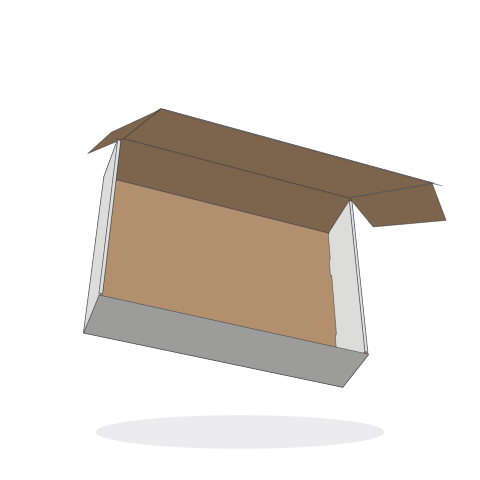
Need one shape fast? Each free template, such as the mailer box template, opens the same engine locked to that style.
How to Check a Die Line Before Print
- 1.Confirm the inside dimensions fit the product with a little room, with length, width and height in the right order.
- 2.Print the die line at 100% on plain paper, cut it out and fold it. Paper is thinner than board, so this is only a first check.
- 3.Check that every panel faces the right way, tucks and bottom included.
- 4.Keep text, logos and barcodes off the folds and inside the safe area.
- 5.Make sure the art fills the whole bleed and the cut and crease lines are set not to print.
- 6.Ask the printer for a proof or a plain sample on the real board before a large run.
Ready for the art? Draft the front in the box designer (AI designs use credits), then place it on your dieline in a vector app and check it on a box mockup.
What Is a Dieline: FAQ
A flat, full size drawing of a package that shows where to cut, where to fold and where to glue. The artwork is designed on top of it, and the printer cuts the box along it.
It is the same thing. Dieline and die line are two spellings of one drawing; printers also call it a cutting template. The dieline definition does not change with the spelling.
Solid lines are cuts and dashed lines are folds. The colors vary by printer; our files use magenta for cuts and cyan for creases, named CutContour and Crease, with the bleed shown in green.
The strip of artwork that runs past the cut line, usually 1/8 in or 3 mm. If the cut shifts a little, the edge still shows art instead of bare board.
Either. Many printers supply a dieline built for their machines; designers and brands also draw their own with a generator. When the printer gives you one, use theirs for the final file.
A template is a dieline at one fixed size. A generator draws the dieline to any size you type, and the free box template pages open it on one shape.
A catalog number for a box structure: FEFCO for corrugated boxes, ECMA for folding cartons. FEFCO 0427 is the classic mailer and FEFCO 0201 the regular shipping carton.
A die cut shape does: the cut path tells the printer the outline. A plain rectangle on a sheet only needs its size, and tags from the hang tag maker carry their outline and hole as a cut line in the PDF.
Yes, but every fold allowance has to be worked out by hand for your board. A generator does that math and exports SVG or PDF that any vector app opens.
No. Cut and crease lines are set as spot colors that do not print; only the artwork prints, and the lines guide the die.
Draw Your First Die Line Now
What is a dieline, in one line? A flat plan for cutting and folding. Draw one to your size in the free generator, then dress it with the AI packaging design generator (AI designs use credits).
Open the dieline generator