Best AI for Packaging Design, by Job
The best AI for packaging design depends on the job: image models draft concepts, template editors lay out labels, 3D suites show mockups, and dielines need a structure tool. Here are 8 tools, PackDesignAI included, grouped by use case with facts from each official site, November 2026.
By the PackDesignAI team9 min read
- Grouped by use case
- Facts from official sites
- No paid placements
- Checked November 2026
In this guide7
How to Choose the Best AI for Packaging Design
Before comparing names, decide what the tool must hand you at the end. The best AI for packaging design for a quick mood board is rarely the best one for a file a printer will accept. Check these five points:
| Criterion | Why it matters | What to check |
|---|---|---|
| Print-ready output | Printers want vector or high resolution files with bleed. | File types, resolution, bleed, color mode |
| Dielines | Art must sit on measured cut and fold lines. | Does it draw or import a dieline? |
| Exact sizes | A label or panel has a fixed size in inches or mm. | Can you set the size before you generate? |
| Text accuracy | AI lettering can drop or swap letters. | How you edit or reset text after generation |
| Licensing | Commercial use often depends on the plan. | The license line on the pricing page |
Best AI Tools for Packaging Design at a Glance
The best AI tools for packaging design below are grouped by the job they do best. The order follows the work, from first idea to structure, not a ranking.
| Tool | Best for | What you get | Pricing model, as listed |
|---|---|---|---|
| ChatGPT | Concepts and edits by conversation | Images from text or your uploads | Free plan with limited image creation; paid plans |
| Midjourney | Mood and concept art | Images and video | Subscriptions in four tiers |
| Adobe Express | Template layouts with AI images | Designs from thousands of templates | Free plan; paid plans |
| Adobe Firefly | Generated images and variations | Images, video and audio | Free daily generations; plans with monthly credits |
| Kittl | Labels and hang tags from templates | Print downloads and mockup previews | Free plan; paid plans for commercial licensing |
| Pacdora | 3D mockups and dieline templates | Mockups; dielines in AI, PDF, DXF on Pro and Business | Free, Lite, Pro and Business |
| ArtiosCAD | Structural packaging CAD | 2D and 3D structural designs | Licensed software |
| PackDesignAI | Free dielines and labels, AI art by job | PDF, SVG and DXF dielines; label PDFs; PNG art | Free tools; AI designs use credits |
Best AI for Packaging Concepts: ChatGPT and Midjourney
General image models are the fastest way to see ten directions for a pack. They do not know your box size or your board, so treat their output as concept art.
ChatGPT image generation
- What it is for: drafting and changing images in a chat, from a text prompt or from images you upload.
- Packaging use: quick concepts you refine "through natural conversation", as OpenAI's image generation post puts it. The same post lists editing precision and dense small text among the known limits.
- Pricing model: a Free plan with limited image creation and paid plans with more, as listed on the ChatGPT pricing page in November 2026.
- Best fit: founders and designers exploring looks before a brief is final.
Midjourney
- What it is for: image and video generation from prompts.
- Packaging use: mood boards and hero visuals. Its plans page is not packaging specific, so build the print file elsewhere.
- Pricing model: subscriptions in four tiers, Basic, Standard, Pro and Mega; private Stealth Mode only on Pro and Mega, and companies above 1 million US dollars in yearly revenue need Pro or Mega, as listed on its plans page in November 2026.
- Best fit: art directors who want many visual options to react to.
Templates and Labels: Adobe Express and Kittl
Template editors with AI features are among the best AI tools for packaging design when you want a finished layout to start from and fonts that stay editable.
Adobe Express with Firefly
- What it is for: quick designs from templates, with AI image tools built in.
- Packaging use: its packaging how to page lists thousands of templates, an AI Image Generator, sketch to image, a Text Effect Generator, Firefly variations and Adobe Stock images, icons and fonts.
- Pricing model: Express has a free plan; Firefly lists free daily generations and paid plans with monthly generative credits, and says outputs from Firefly AI models are safe for commercial use, as listed on its plans page in November 2026.
- Best fit: small teams already working in Adobe apps.
Kittl
- What it is for: a design editor with templates and AI image and vector generators.
- Packaging use: its label maker page lists candle, jar, bottle, coffee and cosmetic layouts, hang tags, barcodes, QR codes and ingredient lists, and a mockup preview before download.
- Pricing model: a free plan to use templates and download; upgrades add commercial licensing, vector downloads and more AI, as listed in November 2026.
- Best fit: makers who want stylish label layouts without building them from scratch.
Mockups, Dielines and Structure: Pacdora and ArtiosCAD
Once the look is chosen, the box itself needs measured lines and a realistic preview. Even the best AI for packaging cannot draw measured lines, so these two tools work on that side of the job.
Pacdora
- What it is for: 3D packaging mockups, dieline templates and AI design in one place.
- Packaging use: pacdora.com lists 5,000+ mockups, 3,000+ dieline templates with adjustable size, material and thickness, and a 3D modeling studio.
- Pricing model: Free, Lite, Pro and Business plans with AI credits on each, and AI, PDF and DXF export on Pro and Business, as listed on its pricing page in November 2026.
- Best fit: brands that present many packs in 3D. Our Pacdora alternative page compares it with PackDesignAI in detail.
Esko ArtiosCAD
- What it is for: professional structural packaging design. Its page does not present it as an AI tool; it is here because image AI cannot do this job.
- Packaging use: the ArtiosCAD page lists 2D and 3D structural designs, resizing, internal fitments, folding sequences and virtual prototyping.
- Pricing model: licensed software bought from Esko, as listed in November 2026.
- Best fit: packaging engineers and converters who build structures for production.
PackDesignAI Among the Best AI Tools for Packaging Design
PackDesignAI sits between the concept tools and the structure tools. Its free browser tools handle the exact parts, and its AI tools draft the art for one job at a time.
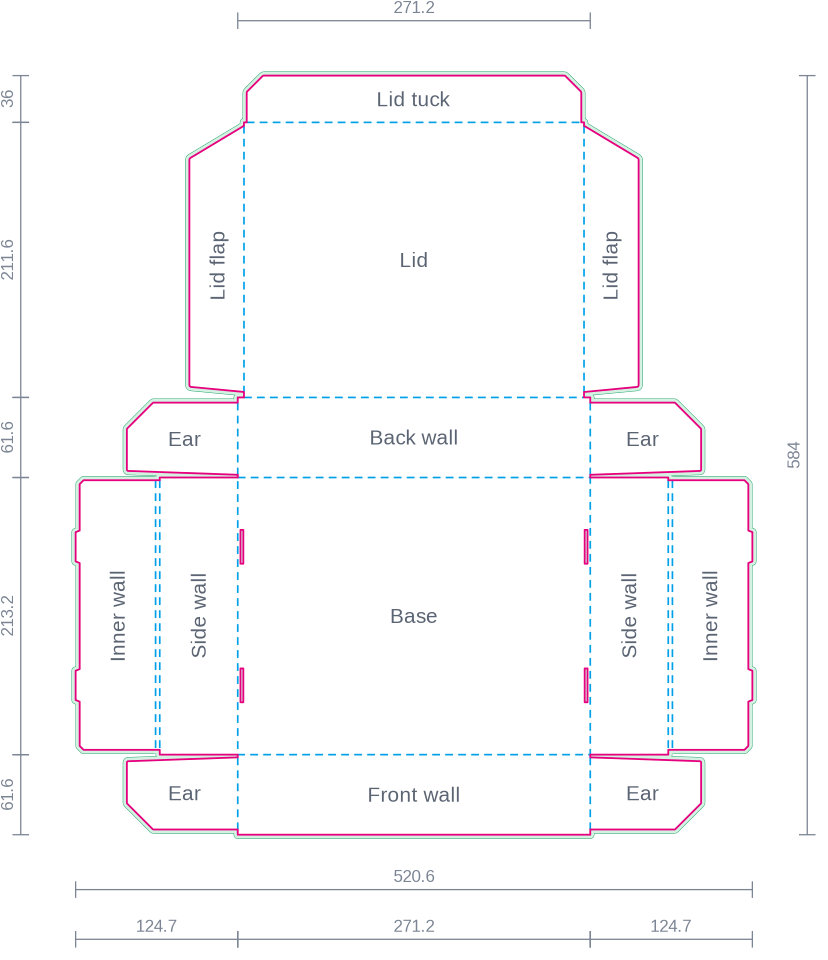
- Free to design, first download free: a dieline generator with 18 styles and PDF, SVG, DXF and PNG files, box templates, a 3D box mockup, Nutrition Facts and food labels, UPC barcodes, monograms and cards.
- AI by job: the AI label generator makes label art at a set size with a print PDF and bleed, the hang tag maker adds a cut line for the punch hole, and the box designer drafts box art.
- Pricing model: free tools to design with, first download free; AI designs use credits, the cost shows on the Generate button, and plans and credit packs are on the pricing page.
- Best fit: small brands that need real print files for structure and labels, and AI art only when they ask for it.
Label art at an exact size
Pick a label type and size, describe the product, and get label art with a print PDF at that size and a 300 dpi PNG with 1/8 in bleed. AI designs use credits; proof every word.
- 7 label types
- Common or custom sizes
- Print PDF and PNG
- No watermark
Best AI for Packaging by Job
Exploring a look
A general image model such as ChatGPT or Midjourney gives many directions fast. Keep the result as a reference, not a print file.
Laying out a label
A template editor such as Adobe Express or Kittl keeps the text editable; for an AI label at an exact size with bleed, try the PackDesignAI label generator.
Open the AI label generatorShowing packs in 3D
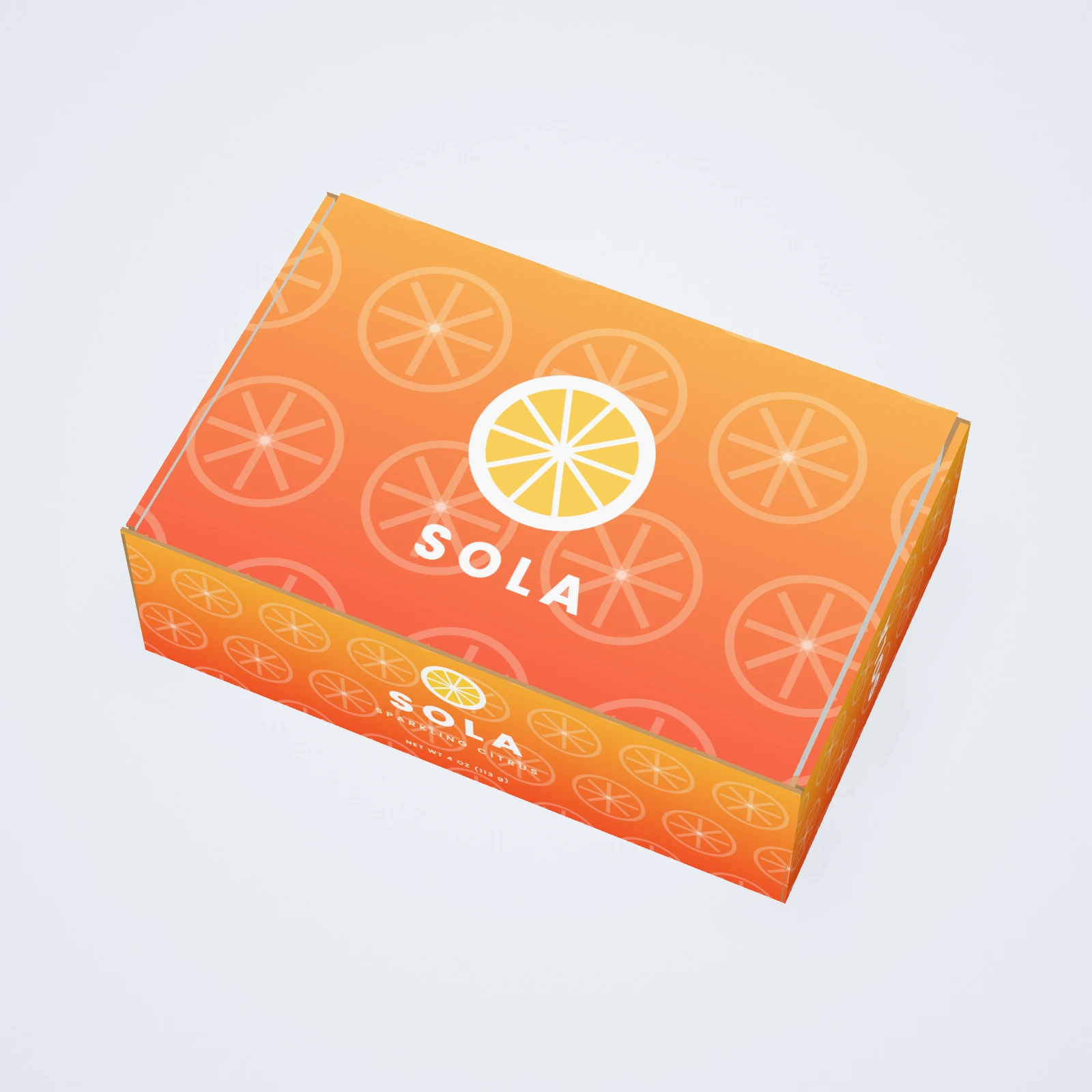
Pacdora lists a large mockup library; the free PackDesignAI box mockup covers 6 box styles with your own art.
Open the box mockupGetting the structure
Use a dieline tool: ArtiosCAD for production engineering, or the free PackDesignAI generator for standard styles.
Open the dieline generator
Most packs pass through more than one of these steps, so the best AI for packaging is often two tools: one to explore, one to finish.
ChatGPT, Midjourney, Adobe Express, Adobe Firefly, Kittl, Pacdora and ArtiosCAD are trademarks of their owners. PackDesignAI is not affiliated with them. Facts about each product come from its official pages as listed in November 2026; plans and prices change, so check each site before you buy.
Best AI for Packaging Design FAQ
There is no single winner. Use an image model for concepts, a template editor for labels, a 3D suite for mockups and a structure tool for dielines, then proof every word before print.
AI can draft the art. A print-ready pack also needs a measured dieline, high resolution or vector files with bleed, exact text and any legal panels, which usually come from other tools.
Image models do not. Dielines come from structure tools such as Pacdora's dieline templates, ArtiosCAD, or the free dieline generator on PackDesignAI.
It is good for quick concepts and edits by chat. OpenAI's own post lists dense small text and editing precision among its limits, so proof the words and build the final file elsewhere.
It depends on the plan. Adobe says Firefly model outputs are safe for commercial use, Kittl ties commercial licensing to paid plans, Pacdora lists commercial use on Business, and the PackDesignAI pricing page lists personal or company use by plan.
ChatGPT, Adobe Express, Firefly, Kittl and Pacdora list free plans with limits. On PackDesignAI, the structure and label tools are free; AI designs use credits.
Often close, never guaranteed. Ask for short exact lines, check every letter, and reset wrong text in an editor before you print.
This guide compares tools, not agencies. Electronics need inserts, protection and testing that a packaging engineer or a design service plans; use these tools for concepts and mockups, and see electronics packaging design ideas.
Because the right tool depends on the job. We list tools by use case and say where each one, ours included, is the better fit.
No. All product names are trademarks of their owners, and PackDesignAI is not affiliated with them. Facts come from their public pages.
Find the Best AI for Packaging Design for Your Pack
Start with the job in front of you: draw a free dieline, or describe your product to the AI packaging design generator (AI designs use credits).
Open the dieline generator