How to Create a Nutrition Label in 6 Steps
To create a nutrition label, get your nutrient values from a lab or a recipe calculation, pick the FDA format that fits your package, round each number by 21 CFR 101.9 and set it at FDA type sizes. Here is how to create a nutrition label in 6 steps with a free maker, first download free.
By the PackDesignAI team10 min read
- Free maker, first download free
- FDA rounding and %DV
- US rules with sources
- Vector PDF, SVG, PNG
In this guide6
How to Create a Nutrition Label in 6 Steps
If you are learning how to create a nutrition label, the whole job fits in six steps. The first two are research, the middle two are FDA math and layout, and the last two make sure the label prints right. Each step has its own section below with the rule behind it.
- 1
Check that you need one
Most packaged foods sold in the US do. Small businesses, low volume products and very small packages can be exempt, but only while the package makes no nutrition claim.
- 2
Get your nutrient values
If you are wondering how to get a Nutrition Facts label for your product, start with the numbers: a food lab, a nutrient database, or a recipe calorie calculator that matches each ingredient for you.
- 3
Set the serving size
Use the reference amount for your food category in 21 CFR 101.12 and a household measure next to the metric weight, for example 2/3 cup (55g).
- 4
Pick the format
Standard vertical fits most packages. Tabular and linear help when the panel is small or wide, and dual columns cover two ways of eating the food.
- 5
Round and lay out the panel
Round each value by 101.9(c), work out the % Daily Value and keep the FDA type sizes, bold lines and rules.
- 6
Export and test print
Download a vector file, print one copy at actual size and check every number against your source before you order a roll.
How to Make Nutrition Facts Numbers You Can Trust
The panel is only as good as the numbers on it. There are three common ways to get nutrition facts for your product, and they differ in cost, speed and how far you can lean on them.
| Source | How it works | Good for |
|---|---|---|
| Lab analysis | A food lab tests a sample of the finished product. | Claims such as "low fat", foods that change in cooking, final retail packs |
| Nutrient database | You add up each ingredient from a database such as USDA FoodData Central. | Simple recipes made from standard ingredients |
| Recipe calculator | A tool matches each recipe line to database foods and does the math. | Drafts, small batches and a second look at a lab report |
A database works best when the recipe is weighed in grams and the ingredients are plain, like flour, butter and oats. Cooking that drives off water changes the numbers per serving, so weigh the batch after baking if you can and use that weight.
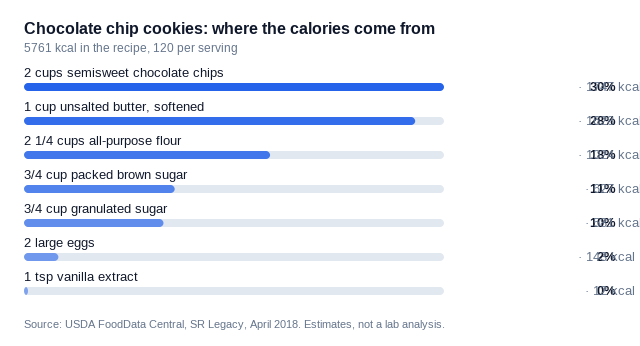
Turn a recipe into nutrition facts
Paste up to 80 recipe lines, check how each one matched a USDA food, set servings and cooking loss, then open the result in the label maker with one click.
- 7,793 USDA foods (SR Legacy)
- Per serving, per recipe, per 100 g
- Free, runs in your browser
- Opens in the label maker
Whatever the source, keep the paperwork. If a buyer or an inspector asks how you got 230 calories, you want the lab report or the calculation on file, not a guess.
How to Make a Nutrition Facts Label Fit Your Package
Knowing how to make a nutrition facts label fit starts with the space on your pack. The FDA allows several layouts, and the right one also depends on the food itself. Measure the panel area you can give the label before you choose.
| Format | When to use it |
|---|---|
| Standard vertical | The default for most boxes, bags and jars. |
| Tabular | Wide, short panels, and packages with less than 40 square inches for labeling. |
| Linear | One running line for very small packages when a tabular panel does not fit. |
| Simplified | Foods with insignificant amounts of 8 or more of the 15 core nutrients. |
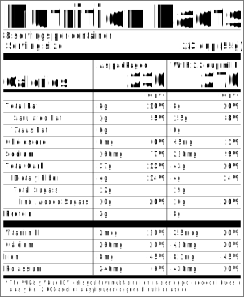
| Dual column | Two sets of numbers: per serving and per container, or as packaged and as prepared. |
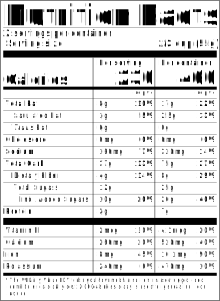
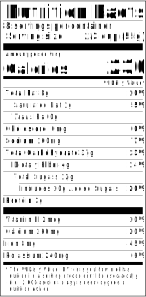
Not sure which layout you may use? The nutrition label maker has a format advisor: type the label area and it names the formats the rules allow, with the reason for any it rules out.
Round the Numbers and Set the Type
Every value on the label is rounded by a fixed rule in 21 CFR 101.9(c). This is where most people learning how to create a nutrition label go wrong: a spreadsheet shows 237.4 calories, and the label must say 240.
| Line | FDA rounding per serving |
|---|---|
| Calories | Under 5: 0. Up to 50: nearest 5. Above 50: nearest 10. |
| Total fat | Under 0.5 g: 0. Under 5 g: nearest 0.5 g. Above 5 g: nearest 1 g. |
| Sodium | Under 5 mg: 0. From 5 to 140 mg: nearest 5 mg. Above 140 mg: nearest 10 mg. |
| % Daily Value | The amount as a share of its Daily Value, such as 2,300 mg for sodium. |
% Daily Value uses the Daily Values from the 2016 rule, among them 78 g total fat, 2,300 mg sodium, 275 g total carbohydrate, 28 g dietary fiber and 50 g added sugars.
Which typeface is that? Our nutrition facts font guide covers the Helvetica style faces, weights and rules in detail.
Let the maker do the rounding
Type your raw values and the free maker rounds each one, works out the % Daily Value and draws the panel at FDA type sizes. The Math tab shows every step and the Checks tab cites the rule behind each warning.
- 6 FDA formats
- Rounding by 101.9(c)
- Vector PDF, EPS, SVG, PNG
- First download free, no watermark
How to Create an Ingredient Label to Match
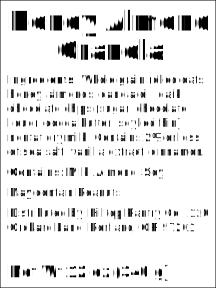
If you are working out how to create nutrition labels for the US market, plan the full label. The Nutrition Facts panel is one part of it; the same package also needs the product name, the net quantity, an ingredient list, the allergen statement and the name and address of the maker, packer or distributor.
- Ingredients in descending order of weight, with sub ingredients in parentheses.
- Allergens: a "Contains" line for any of the 9 major food allergens, sesame included.
- Net quantity in US and metric units, such as 12 oz (340 g).
- Name and place of business of the manufacturer, packer or distributor.
The free food label maker lays out that panel: it lists ingredients by weight, writes the Contains line from the allergens you tick and prints the net quantity in both units.
How to Get a Nutrition Label Printed and Checked
A label that looks right on screen can still fail on the shelf. Before you print a run, work through this list.
- 1.Export a vector PDF or EPS so the hairlines stay sharp at any size. A 300 dpi PNG is fine for a home printer.
- 2.Print one test page at actual size and measure the panel with a ruler.
- 3.Check every number against your lab report or calculation, then ask a second person to check it again.
- 4.Place the panel on the information panel, usually the one right of the main display panel, or on the main display panel itself, as 21 CFR 101.2 allows.
- 5.Keep strong contrast: one dark color on a white or light background reads best and matches the rule.
Even when you are exempt, retailers and distributors often ask for the panel, so it pays to know how to get a nutrition label made before a buyer asks for one.
How to Create a Nutrition Label: FAQ
Use a free maker. The PackDesignAI nutrition label maker needs no account to design with, adds no watermark and exports vector PDF, EPS, SVG and a 300 dpi PNG; your first download is free. You bring the nutrient values; it does the rounding and layout.
Get the nutrient values first, from a lab test or a recipe calculation, then lay them out in an FDA format with a label maker or a designer. Print a test copy and check it before the run.
Three ways: a lab analysis of the finished product, a nutrient database such as USDA FoodData Central, or a recipe calculator that matches each ingredient for you. Use a lab if you plan to print a nutrient claim.
Weigh the recipe, run it through a recipe calculator, open the result in a label maker and print on sticker sheets. Cottage food rules are set by each state, so check what your state asks the label to show.
Paste the recipe into the recipe calorie calculator, set the number of servings, then press Open in the Nutrition Label Maker to carry the values over and pick a format.
Ask a food lab for a nutrition analysis for labeling, then lay out the values yourself or ask whether the lab supplies a panel. Either way, the brand on the package is responsible for the label.
Not always. The rule sets accuracy limits, not a method, so database values are common for simple foods. A lab test is the safer base when cooking changes the food a lot or when the pack makes a claim.
There is no fixed size. The minimum type sizes set it, so a panel can only shrink until a line drops below its minimum. The maker warns when your width does that, and packages under 40 square inches may switch to tabular or linear.
No. The FDA does not approve labels or label software. A tool can follow the rule for you, but the brand stays responsible for the values it enters.
Yes. Export the panel as SVG with editable text or as a vector PDF and place it in your artwork. For the rest of the pack, a blank nutrition label template helps you reserve the space early.
Make Your First Panel Now
You know how to create a nutrition label; now let the free maker draw it, and your first download is free. For the front of the pack, the AI packaging design generator drafts the artwork (AI designs use credits).
Open the nutrition label maker