Skip to content

Free, in your browser

Free Nutrition Label Maker for FDA Nutrition Facts

PackDesignAI is a free nutrition label maker for FDA Nutrition Facts: type your values and get the panel in 6 formats, with FDA rounding and % Daily Value done for you. Download vector PDF, EPS, SVG or a 300 dpi PNG; your first download is free. No watermark, and nothing leaves your browser.

Nutrition Facts label

Label format

Serving

servings

8 servings per container

A cup, tablespoon, piece or slice, as FDA lists for your food.

g

Used for file names. Not printed on the label.

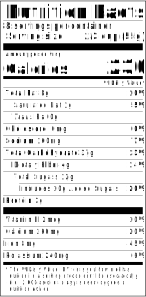
Live preview of the Nutrition Facts labelNutrition Facts8 servings per containerServing size2/3 cup (55g)Amount per servingCalories230% Daily Value*Total Fat 8g10%Saturated Fat 1g5%Trans Fat 0gCholesterol 0mg0%Sodium 160mg7%Total Carbohydrate 37g13%Dietary Fiber 4g14%Total Sugars 12gIncludes 10g Added Sugars20%Protein 3gVitamin D 2mcg10%Calcium 260mg20%Iron 8mg45%Potassium 240mg6%* The % Daily Value (DV) tells you how much a nutrient in aserving of food contributes to a daily diet. 2,000 calories a dayis used for general nutrition advice.
Sample values
Vector · outlined text · 100% K black
Saved in this browser
  • Free to design
  • First download free
  • No watermark
  • Runs in your browser

Free to design, no watermark. Everything runs in your browser; your values are never uploaded.

  • 6 FDA label formats
  • FDA rounding and %DV
  • Vector PDF, EPS and SVG
  • First download free, no watermark

Nutrition Facts Label Samples in Every Format

Each sample below was drawn by this nutrition label generator, a nutrition information panel generator for every FDA layout, from the same granola values as the FDA sample label.

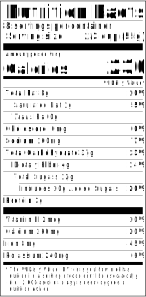
Standard vertical Nutrition Facts label
Standard verticalThe default for most packages
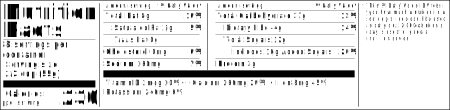
Tabular horizontal Nutrition Facts label
TabularA horizontal nutrition facts label for wide, short panels
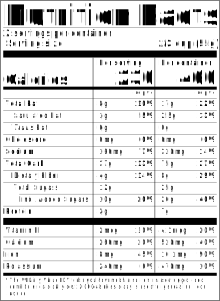
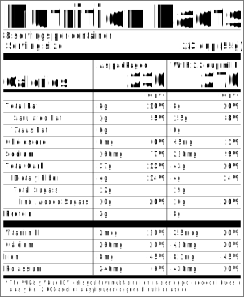
Dual column Nutrition Facts label per serving and per container
Dual columnPer serving and per container
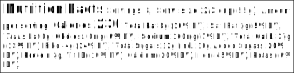
Linear Nutrition Facts label for a small package
LinearOne running line for small packages
Dual column Nutrition Facts label as packaged and as prepared
Dual columnAs packaged and as prepared
Simplified Nutrition Facts label
SimplifiedWhen most nutrients are insignificant

Real output of the tool. Open the format you need in the maker above.

How to Make a Label in Three Steps

Three steps from a lab report to a printable nutrition facts label.

  1. Choose standard, tabular, linear, simplified or a dual column layout. Not sure? Enter your label area in "Which format can I use?" and the tool names the formats the rules allow.

  2. Type serving size, servings and the amount of each nutrient per serving to generate nutrition label lines. Each field shows the rounded value and % Daily Value as you type, and Calories is checked against fat, carbs and protein.

  3. Read the Checks and Math tabs, set the width, then download vector PDF, EPS, SVG or a 300 dpi PNG. Print a test page at actual size before a big run, as any nutrition facts panel generator should let you.

Choosing a Nutrition Facts format

A Nutrition Facts Label Generator That Shows Its Work

Built for small food brands, designers and anyone creating nutrition facts for a real package.

  1. Rounded values and Daily Values on a Nutrition Facts label

    Rounding and %DV

    Every number rounded the FDA way

    Calories, fats, sodium, carbs and vitamins round by 21 CFR 101.9(c), and % Daily Value uses the 2016 Daily Values. The Math tab shows each raw value, the rounded one and the rule, so you can explain any line to a buyer or an inspector.

  2. Checks on a Nutrition Facts panel

    Checks

    Problems flagged before you print

    The Checks tab flags order, type size and numbers that do not add up, and every warning has a "Why?" that cites the paragraph of the rule. It is the review step most nutrition labeling software leaves to you.

  3. Linear Nutrition Facts format for a small package

    Formats

    The right layout for the panel you have

    This nutrition facts generator switches between the six layouts with live thumbnails. Formats your values do not qualify for stay grey with the reason, like the simplified format before 8 nutrients are insignificant.

  4. Vector PDF of a dual column Nutrition Facts label

    Print files

    Vector files your printer will accept

    PDF and EPS come with outlined text and 100% K black. SVG can keep editable text for your designer, and PNG or JPG export at 300 dpi. Copy the label as text for a marketplace listing.

FDA Label Rules in Plain English

What to know before you make your own nutrition label.

Do you need a Nutrition Facts label?

Most packaged food sold in the US needs one. Small businesses can be exempt under 21 CFR 101.9(j)(1) and (j)(18), based on sales, staff and units sold, but the exemption ends the moment the package makes a nutrient claim such as "low fat".

Packages with less than 12 square inches for labeling can skip the panel if they print an address or phone number for nutrition questions.

Unsure? Make the label anyway: buyers and retailers often ask for one even when the law does not.

Which format and size to use

The standard vertical panel fits most boxes and bags. When the package is wide and short, the tabular layout gives you horizontal nutritional facts. Packages with less than 40 square inches for labeling may use tabular or linear.

The simplified format is allowed only when at least 8 of the listed nutrients are present in insignificant amounts. Dual columns are required in some cases, such as a package that holds between 200% and 300% of the reference amount.

  1. 1Standard vertical: the nutrition facts layout most shoppers know.
  2. 2Tabular: wide panels on short packages.
  3. 3Linear: one line on very small packages.
  4. 4Dual column: per serving and per container, or as packaged and as prepared.

How FDA rounding and % Daily Value work

Each nutrient has its own steps. Calories under 5 show as 0, up to 50 round to the nearest 5, above 50 to the nearest 10. Fat under 0.5 g shows as 0, under 5 g rounds to the nearest 0.5 g. Sodium between 5 and 140 mg rounds to the nearest 5 mg.

% Daily Value compares the amount with the daily reference, for example 2,300 mg for sodium and 50 g for added sugars. The nutrition facts form in the maker shows both numbers next to every field.

Fonts, color and printing

A nutritional facts label uses a Helvetica style type, heavy rules and fixed type sizes, and the maker warns when your width makes any text smaller than the FDA minimum. Keep strong contrast: one dark color on a light background prints most safely.

Send your printer the vector PDF or EPS. For a custom nutrition label on colored stock, set the text and background colors in the maker and print a test page at actual size first.

Who Uses This Nutrition Facts Label Maker

From a first farmers market batch to a retail launch.

  • Food and drink startups

    A food nutrition label maker that turns the lab report into a panel before the first retail order.

  • Packaging designers

    Keep the nutrition label design consistent: drop an editable nutrition facts label into the artwork as SVG.

  • Co-packers and private label

    A nutrition panel maker for every product and flavor, with the Math tab as the paper trail.

  • Bakeries and makers

    Print nutrition labels for jars and boxes on the label sheets you already use.

Nutrition Label Maker FAQ

Straight answers about formats, rules and files.

Make Your Label With the Nutrition Label Maker

Six FDA formats, exact rounding and print-ready files: open the maker above, load the sample and download your first panel in minutes.